Guides
Wireless Mic Hire London: DJI Mic 3, Mic 2 and Mic Mini
Choosing between the DJI Mic 3, Mic 2 and Mic Mini for a London shoot? Here is what each suits, what 32-bit float does on set, how to connect to a phone or camera, and how to plan kits for one, two or four voices.
The short version
- Hire the Mic 3 if you want the most protection against lost audio.
- 32-bit float is a way of recording audio with so much headroom that it is very hard to clip.
- Most wireless microphone rental kits include a receiver that can work with either a phone or a camera.
- The number of people speaking decides the kit more than anything else.
On this page7 sections
If you need clean dialogue for a vlog, an interview or a short film, wireless mic hire in London is usually quicker and cheaper than buying a system you will use a few times a year. Most people end up choosing between three DJI systems: the Mic 3, the Mic 2 and the Mic Mini. This guide explains which to hire, what 32-bit float recording does for you on set, how to connect the receiver to a phone or a camera, and how to plan a kit for one, two or four voices. It finishes with practical advice for recording outdoors, where most wireless audio problems start.
Mic 3, Mic 2 or Mic Mini: the short answer
Hire the Mic 3 if you want the most protection against lost audio. Hire the Mic Mini if you want the lowest day rate and the smallest kit for simple talking-head work. Look at the Mic 2 if you want the previous generation in a complete set and the listing includes the accessories you need.
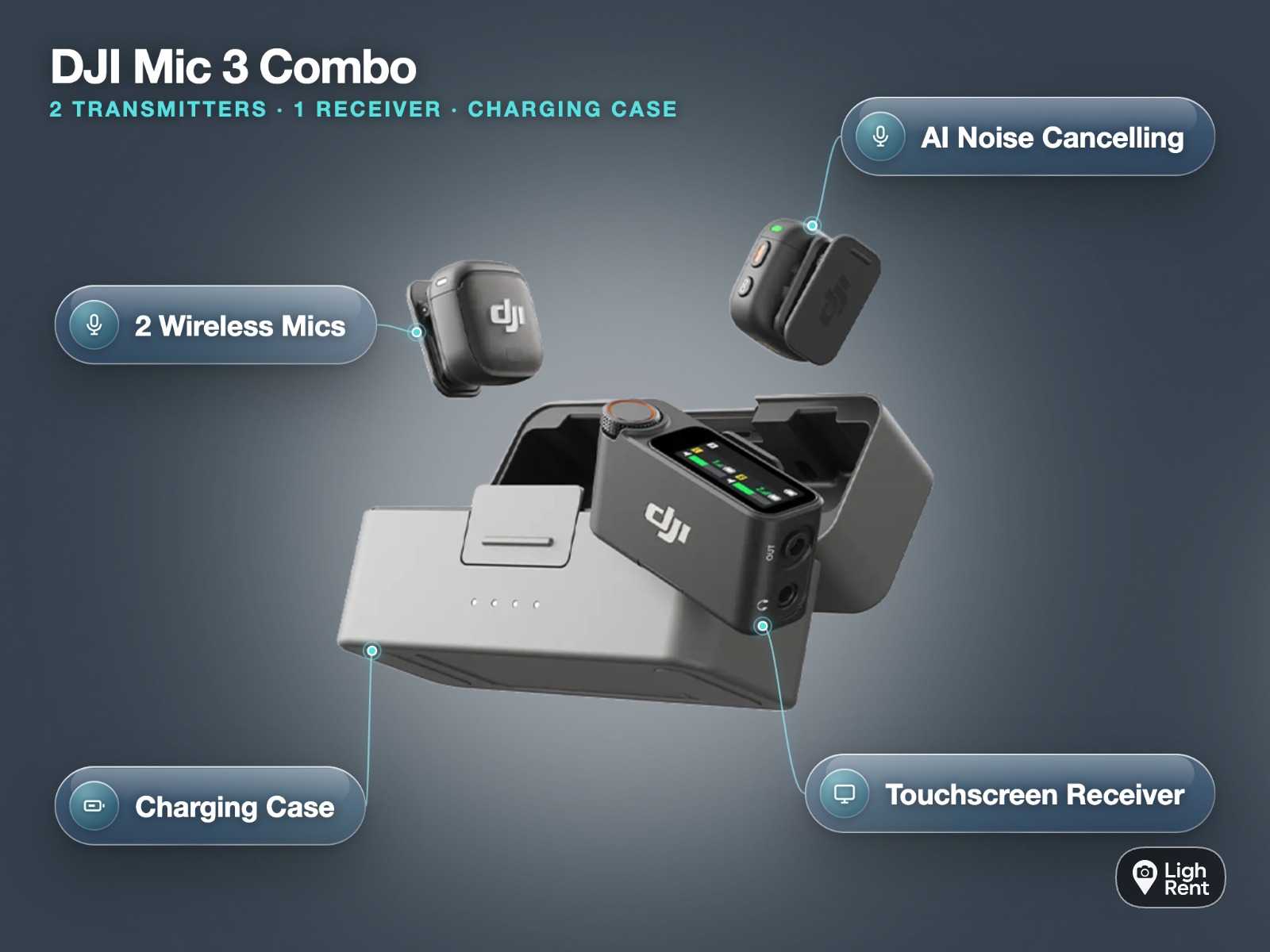
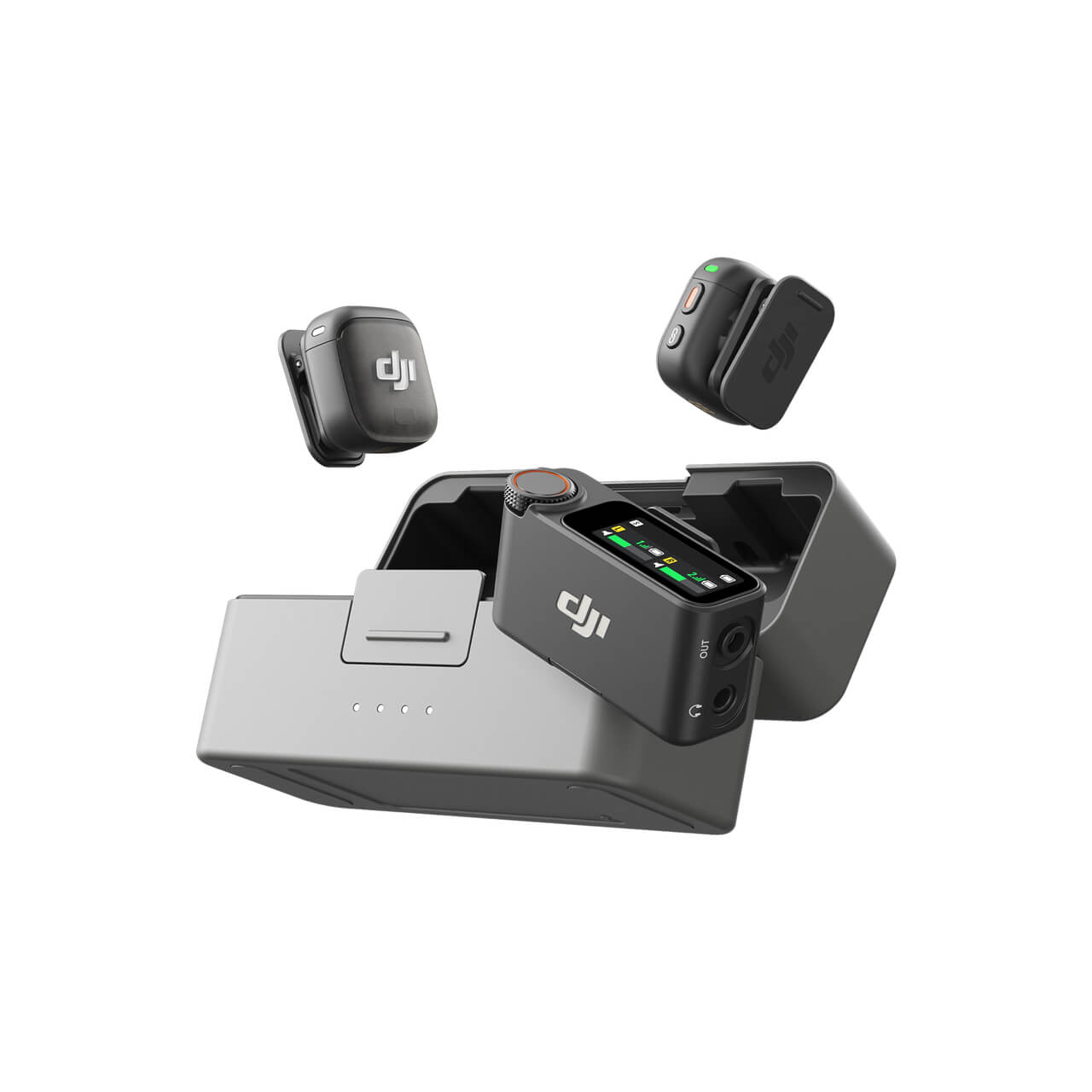
The Mic 3 is the safest choice for paid work. DJI lists it with up to 43.0 hours of 32-bit float internal recording (single file), a maximum transmission distance of 400 m, and a 16 g transmitter (with magnet), according to the DJI Mic 3 specs. Internal recording means each transmitter keeps its own copy of the audio, so a wireless dropout does not have to ruin a take. The small transmitter is also easy to hide on a lapel or clip to a collar with the magnet.
The Mic Mini is aimed at creators who want something light and discreet. It is a sensible pick for social content, simple pieces to camera and situations where cost matters more than backup recording. Check the listing for exactly what it records and what comes in the case before you book.
The Mic 2 is still widely used on corporate shoots and podcasts. It suits people who already know the DJI workflow and want a full kit in one case. As with any hire, read the listing to confirm the contents.
| Kit on LighRent (SwainUK) | Best for | Day rate |
|---|---|---|
| DJI Mic 3 combo | Interviews, documentary, paid client work, two speakers | From £16 a day, pickup in Soho |
| DJI Mic Mini dual set | Social content, vlogs, budget two-person setups | From £6 a day, pickup in Soho |
| DJI Mic 2 full set | Podcasts, corporate talking heads, a complete kit in one case | See the listing for the current rate |
The day rates above are the listing prices on 15 Nov 2026. Prices can change, so check the listing when you book. If you only need a transmitter and receiver rather than the full combo, SwainUK also lists the DJI Mic 3 on its own.
What 32-bit float means on set
32-bit float is a way of recording audio with so much headroom that it is very hard to clip. Clipping is the harsh distortion you hear when a sound is too loud for the recorder. With a normal recording, a sudden laugh or shout can push the level past the limit and that moment is lost for good. With 32-bit float, the loud peak is still captured cleanly and you can turn it down in the edit.
The same applies in the other direction. If a speaker is much quieter than you expected, you can raise the level afterwards without the recording falling apart in the way a badly set conventional recording would. It is not magic: a mic placed badly will still sound bad, and background noise is still recorded. But it removes the most common cause of unusable dialogue, which is a level set wrong in a hurry.
On the Mic 3, the 32-bit float recording happens inside each transmitter. DJI quotes up to 43.0 hours of it in a single file, which covers a long shoot day without you needing to manage storage. In practice the workflow looks like this:
- Switch on internal recording on each transmitter before the first take and leave it running.
- Send the live wireless signal to your phone or camera as normal, so you have a guide track synced to the picture.
- In the edit, line up the internal recording with the guide track and use the internal file as your main audio.
- Adjust the level of the internal file to taste, then remove the guide track.
One point catches people out. The signal sent to your camera is only as good as the camera's own audio settings. It does not become 32-bit float just because the transmitter records that way. So still set a sensible level on the camera side, and treat the internal file as your safety net rather than an excuse to ignore levels.
Phone or camera: connecting the receiver
Most wireless microphone rental kits include a receiver that can work with either a phone or a camera. The receiver collects the signal from the transmitters and passes it to whatever is recording the picture. How you connect it depends on the device.
Recording on a phone
For a phone, the receiver plugs straight into the phone's port, usually with a small adaptor that comes in the case. Before you start, check three things:
- The adaptor matches your phone's port. Ask the owner if you are unsure which connector is supplied.
- Your camera app is actually using the external mic. Some apps switch to the built-in mic without telling you. Record a short test and listen back on headphones.
- Notifications are off. A message alert can interrupt the audio feed or the recording.
If you are shooting on an iPhone and want to make the most of internal recording, our guide to DJI Mic 3 32-bit float on iPhone walks through the setup and the edit.
Recording on a camera
For a camera, the receiver sits in the hot shoe and connects to the camera's mic input with the supplied audio cable. Then:
- Turn off automatic gain on the camera if you can. Auto gain pumps background noise up during pauses.
- Set the camera's input level low and let the receiver do the work. This keeps the camera's own noise down.
- Use headphones on the camera's headphone socket, if it has one, so you hear what is actually being recorded.
If you need a body to go with the mics, you can combine your audio booking with camera hire in Bethnal Green and test the two together before the shoot.

Kits for one, two or four voices
The number of people speaking decides the kit more than anything else. Count your voices first, then pick.
One voice
For a single presenter, vlogger or interviewee, any of the three systems will do. A dual set still makes sense even with one speaker, because the second transmitter is a spare if the first goes flat or gets knocked. At from £6 a day, the Mic Mini dual set is the cheapest way to have that backup. If the job is paid and the audio cannot be repeated, the Mic 3 combo at from £16 a day adds internal recording on each transmitter.
Two voices
Two people is the most common setup: an interviewer and a guest, or two hosts. A dual set covers it, with one transmitter on each person. For a sit-down interview, clip the transmitters roughly a hand's width below the chin and keep them clear of necklaces and scarves. The Mic 3 is the better choice here when the conversation is unscripted, because people often laugh or raise their voices without warning, and 32-bit float internal recording handles that well.
Four voices
Panels, round tables and group podcasts need more than one dual set. The simplest approach is to hire two kits and give every speaker a transmitter. Before you book, ask the owner how many transmitters a single receiver will take on the model you are hiring and whether the extra transmitters can be paired to it. If you are recording internally on every transmitter, you can also run two receivers into separate devices and line everything up in the edit. Label each transmitter with the speaker's name so files do not get mixed up later.
Street interviews and handles
Vox pops are different. You do not have time to clip a mic onto a stranger, so most people hold the transmitter like a reporter's mic. A handle makes this far more comfortable and keeps your hand away from the mic itself, which cuts handling noise. SwainUK lists a DJI Mic 3 street interview kit for exactly this kind of work. Check the listing for what is in the case. For the full workflow on a phone, see our street interview kit for iPhone guide.
Getting clean audio outdoors
Outdoor recording is where wireless lavalier mic hire in London either pays off or lets you down. Traffic, wind and crowds all work against you. These habits make the biggest difference.
- Always use wind protection. Fit the furry windshields from the case on every transmitter. Even a light breeze can produce low rumbles that are hard to remove later.
- Keep line of sight. DJI quotes a maximum of 400 m for the Mic 3, but that is a best case. Bodies, walls, vehicles and crowds of people carrying phones all shorten the usable range. Keep the receiver close to the speakers and in view of the transmitters.
- Mind which side the mic is on. If the speaker turns away from the receiver, their body can block the signal. Clip the transmitter on the side facing the camera.
- Record internally as a backup. On the Mic 3, internal recording means a brief dropout on the live feed is not the end of the take.
- Monitor on headphones. Listen to the whole take, not just the start. Dropouts and clothing rustle are easy to miss on a phone speaker.
- Use noise cancellation with care. On-board noise reduction can help on a busy street, but it can also make voices sound thin. If you are recording internally, consider leaving it off and cleaning up in the edit.
- Bring spare power. Charge the case the night before and keep it in your bag between setups.
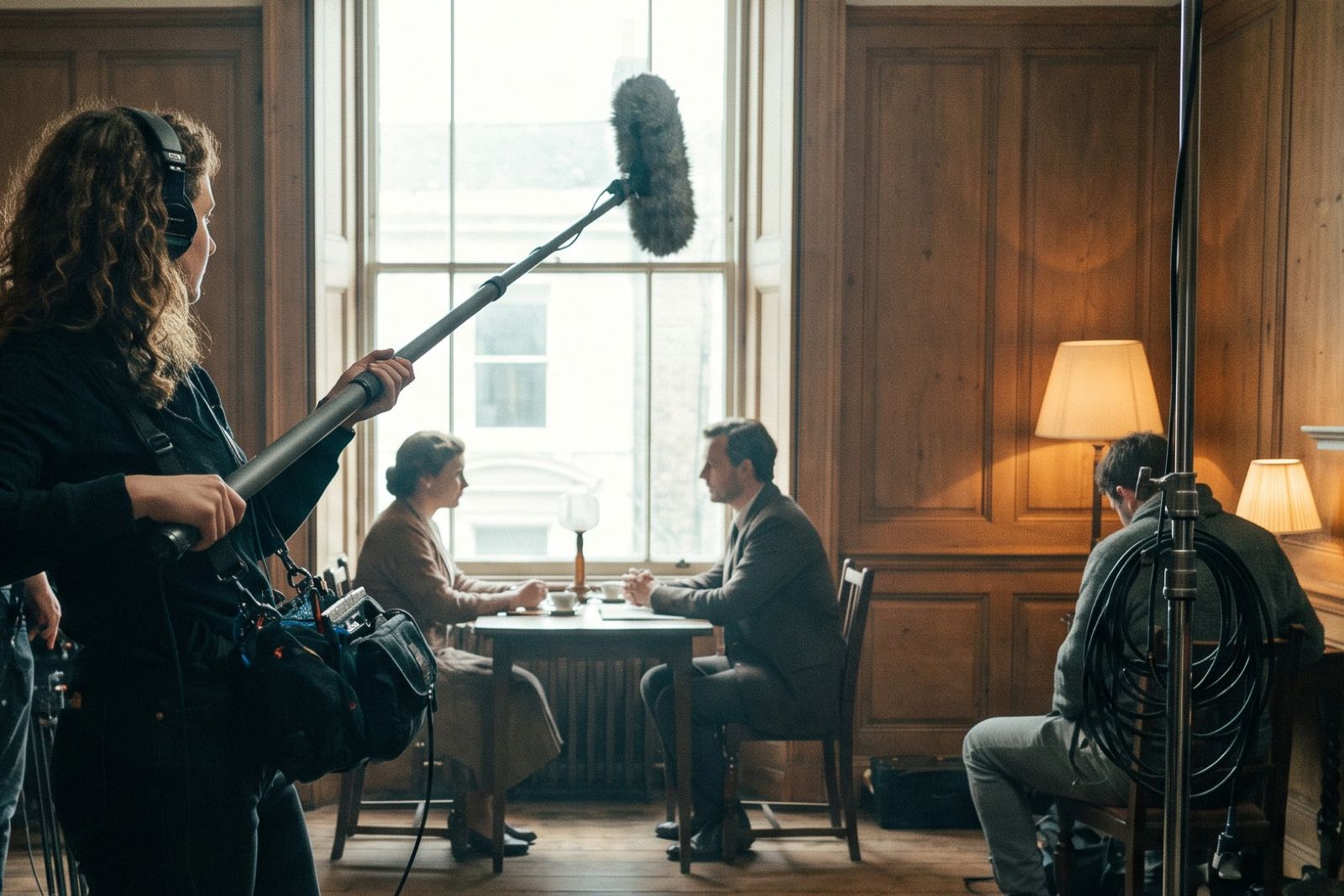
For scripted drama, a lavalier is not always the right tool. Clothing noise and costume changes can make clip-on mics awkward, and many productions record dialogue with a boom held just out of frame, using wireless lavaliers as a backup.
If you want an independent view before committing to the newest model, the Digital Camera World DJI Mic 3 review is a useful read alongside the manufacturer's specs.
Booking your wireless mic hire in London
To sum up: count your voices, decide whether you are recording on a phone or a camera, and choose the kit that protects the audio you cannot afford to lose. For most paid interviews and documentary work, the DJI Mic 3 hire is the safest option. For budget social content, the Mic Mini dual set does the job. When you collect from Soho, open the case, pair the transmitters, record a short test on the device you will use on the day and listen back on headphones before you leave. Ten minutes of checks at pickup saves a reshoot later.
Questions people ask
Which DJI mic should I hire?
Hire the DJI Mic 3 for paid interviews, documentary and anything you cannot repeat, because each transmitter records its own 32-bit float backup. Hire the Mic Mini for budget social content and simple pieces to camera. The Mic 2 full set suits people who want a complete kit in one case, so check the listing for what is included.
What is 32-bit float recording?
It is a recording format with so much headroom that loud sounds are very unlikely to clip, and quiet sounds can be raised later without falling apart. On the DJI Mic 3 it happens inside each transmitter, giving you a safety copy of the audio. You still need good mic placement, because it cannot remove background noise or fix a badly placed mic.
Can I use a DJI Mic with an iPhone?
Yes. The receiver plugs into the iPhone's port, usually with an adaptor supplied in the case. Check that your camera app is using the external mic by recording a short test and listening back on headphones. If you record internally on the Mic 3, you can sync that file to your iPhone footage in the edit.
How far can a DJI Mic 3 transmit?
DJI lists a maximum transmission distance of 400 m for the Mic 3. That figure assumes clear line of sight, so walls, vehicles, crowds and the speaker's own body will reduce it in real use. Keep the receiver close and in view of the transmitters, and record internally as a backup.
Do wireless mics work for street interviews?
Yes, they are a common choice for vox pops and street interviews. Most people hold the transmitter like a reporter's mic, ideally on a handle to reduce handling noise, and fit a windshield for outdoor work. SwainUK lists a DJI Mic 3 street interview kit on LighRent for this kind of shoot.