A message we get a lot arrives the night before a shoot. Their own phone is two generations old, the brief says "shot on the latest iPhone", or the client wants Apple Log footage they can grade. They do not want to spend £1,499 on a phone they will use for three days. That is exactly what short-term iPhone rental is for.
We rent the iPhone 18 Pro Max and iPhone 18 Pro out of London, on their own or built into filmmaking kits, for a single day, a long weekend or a full week. This guide covers what each option costs, which kit fits which job, how booking and collection work, and how to get the phone shoot-ready in the first half hour.
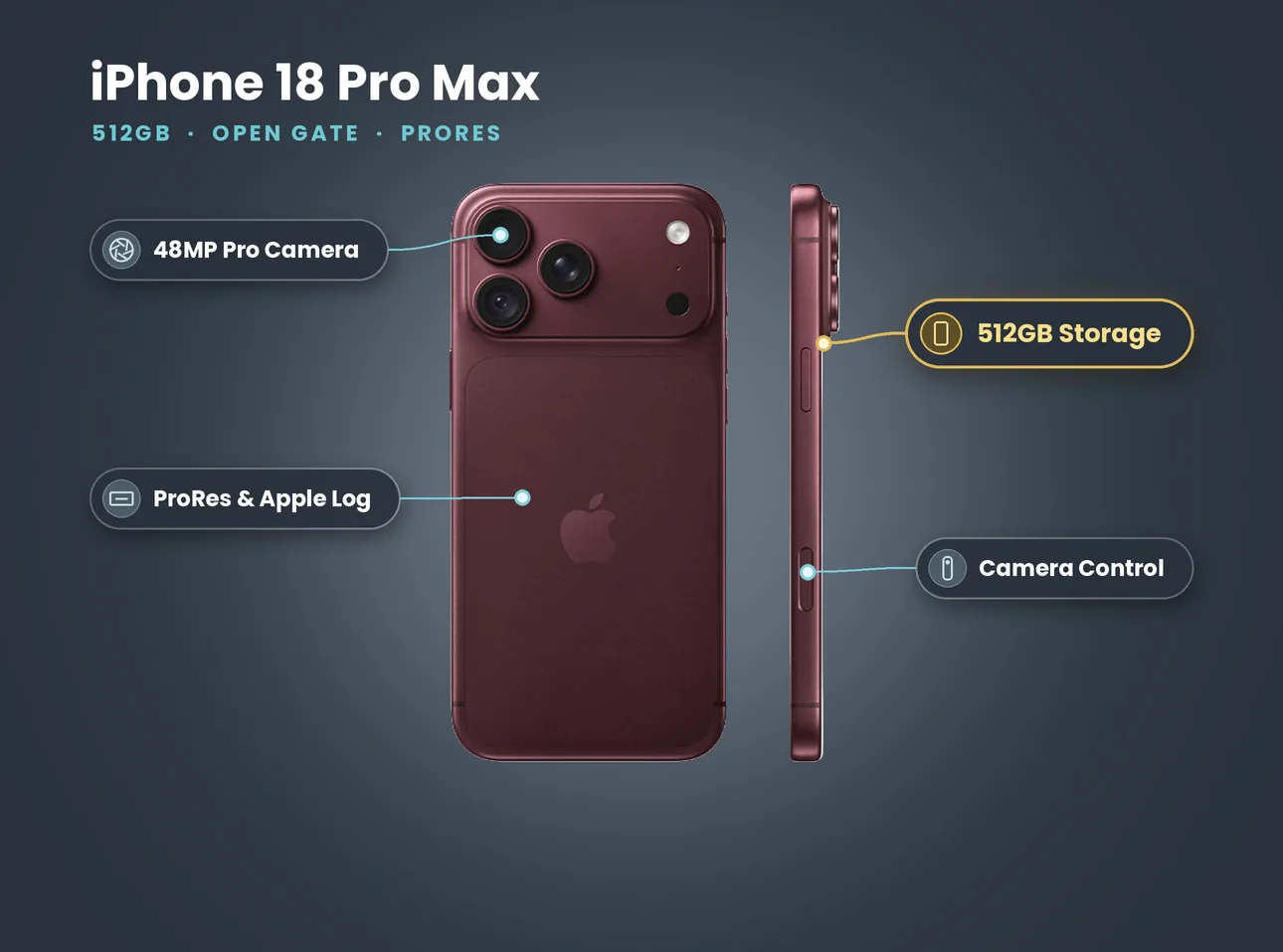
- The iPhone 18 Pro Max 512GB costs £84 for one day, £250 for three days or £488 for a week (listing prices on 27 October 2026, no deposit).
- Kits with a gimbal, rig, SSD or mic run from £100 to £130 a day.
- Every booking needs ID verification. Collect from Soho, Bethnal Green or Finsbury Park.
- 512GB holds hours of HEVC but only about an hour of ProRes HQ. Book the SSD kit for long ProRes days.
- A three-day hire works out at about £83 a day; a week works out at about £70 a day.
In this guide
- What short-term iPhone rental means at LighRent
- Which iPhone 18 kit to rent
- What a day, a long weekend or a week really costs
- How booking and collection work
- Your pickup checklist
- Setting up the phone for your shoot
- Multi-camera and longer jobs
- When short-term rental is not the right call
- Filming in public in London
What short-term iPhone rental means at LighRent
Short-term rental here means you borrow a current iPhone for the length of your job and give it back. There is no contract, no monthly plan and no minimum term beyond one day. Most of our bookings fall into three shapes:
- One day. A music video, a product shoot, a wedding second angle or a social campaign that films in a single day.
- Three days. A long weekend, or a shoot with a prep day and a pickup day either side.
- One week. Festivals, documentary work, travel content, or a brand that wants to film a series of posts in one go.
The phones are ours. You do not need to sign in with your own Apple ID to film: shoot, then offload with a cable or record straight to a drive.
The point is access, not ownership. Apple's own iPhone 18 Pro tech specs list a 48MP main camera with a variable aperture from f/1.48 to f/4, a 4x 100mm telephoto, 4K Dolby Vision up to 120 fps, ProRes up to 4K120 with external recording, and Apple Log 2. If those features matter for one job, renting gets you them for exactly that job.
Which iPhone 18 kit to rent
All of these are live on LighRent today. Prices are the listing prices on 27 October 2026 and none of them has a deposit.
| Kit | 1 day | 3 days | 7 days | Best for |
|---|---|---|---|---|
| iPhone 18 Pro Max 512GB | £84 | £250 | £488 | You already own a rig or gimbal |
| + Power Bank | £86 | £234 | £520 | Long days, events, travel |
| + 1TB SSD | £100 | £280 | £640 | ProRes, Apple Log, long takes |
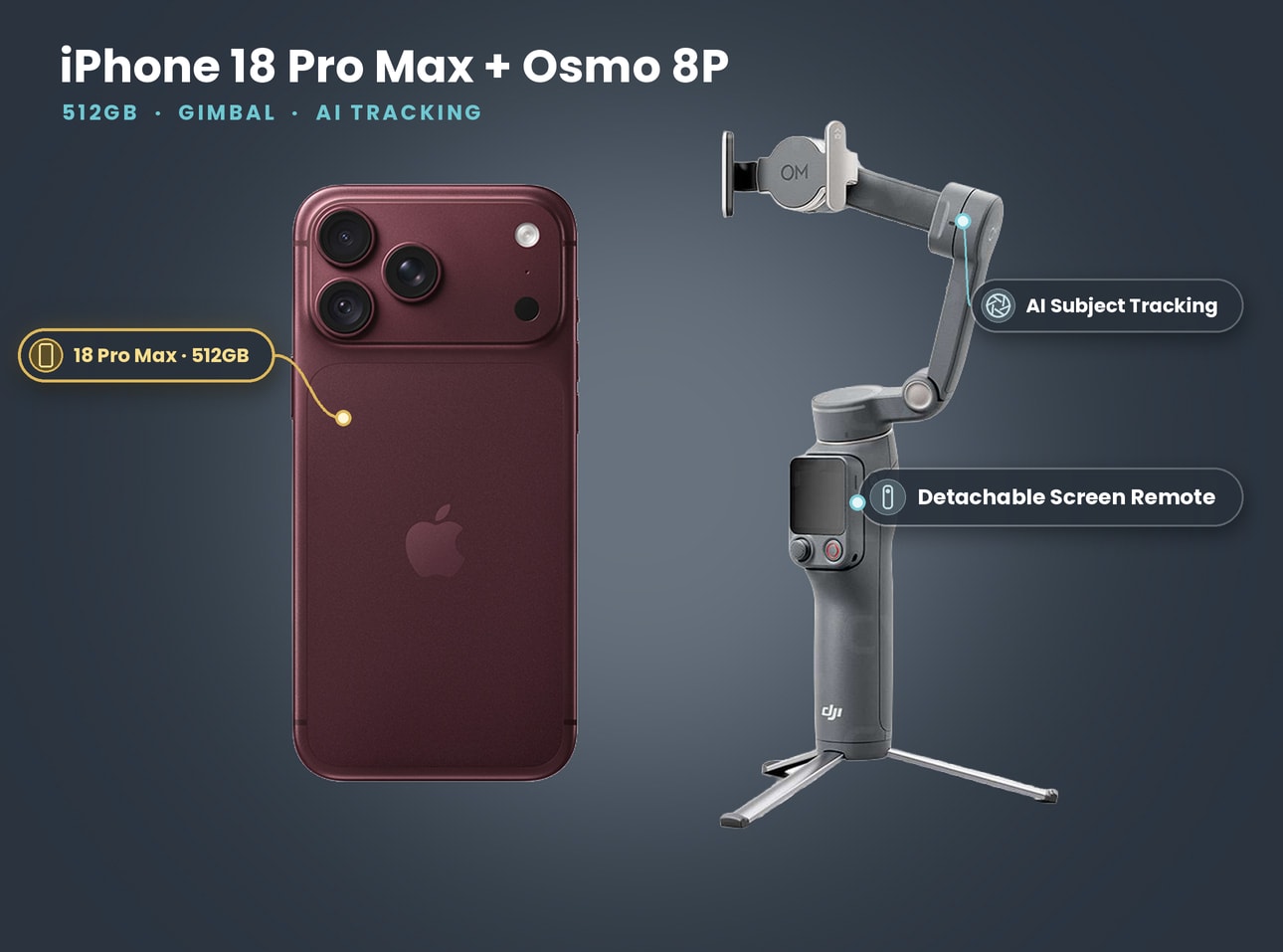
| + DJI Gimbal Osmo 8P | £100 | £280 | £640 | Walking shots, solo creators |
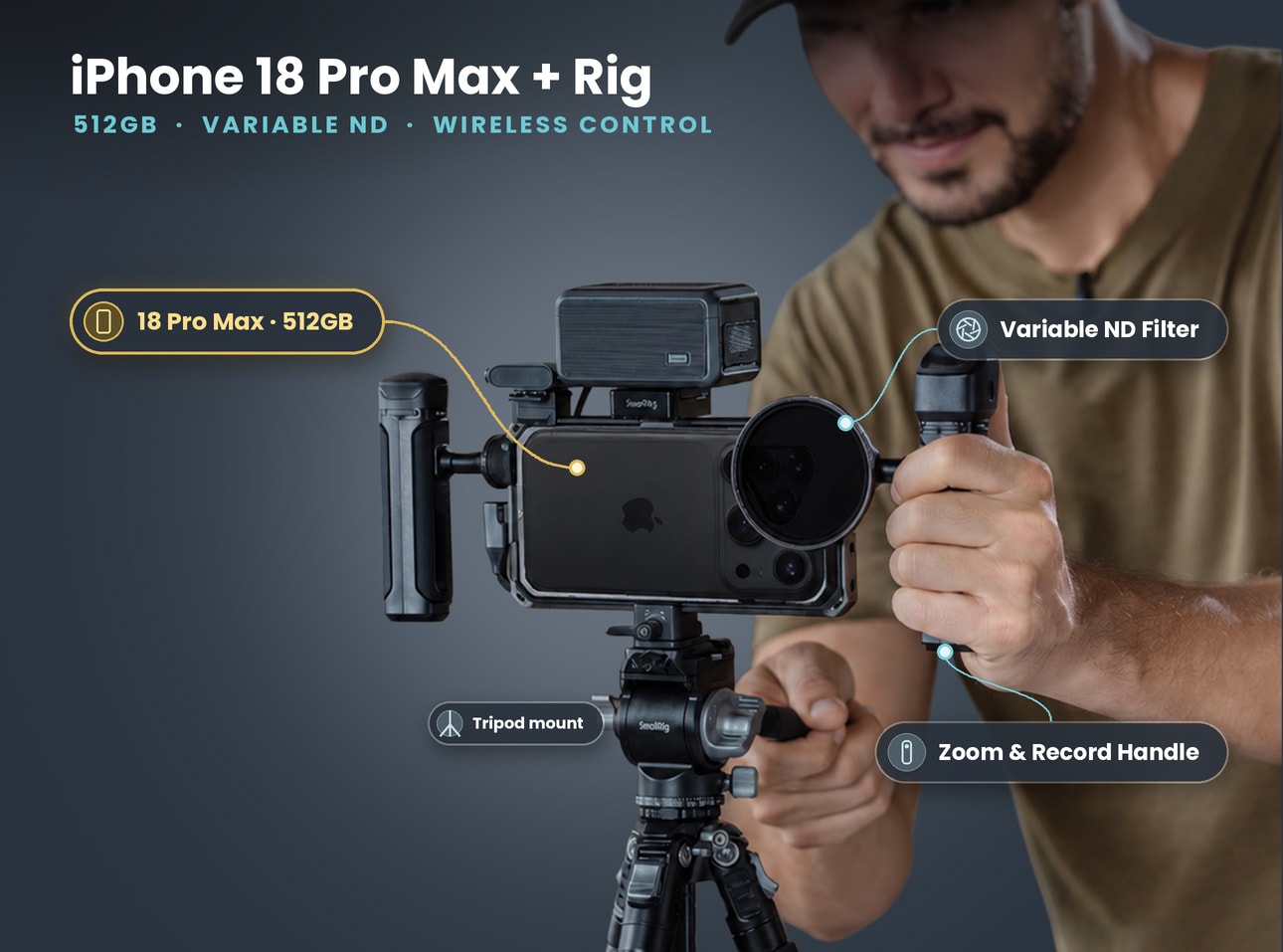
| + Rig, ND & Tripod | £110 | £300 | £640 | Music videos, interviews, ads |
| + SmallRig Kit | £110 | £300 | £640 | Handheld work with ND |
| + Tilta Khronos Lite, 1TB SSD & LED | £110 | £300 | £640 | Open gate and run-and-gun |
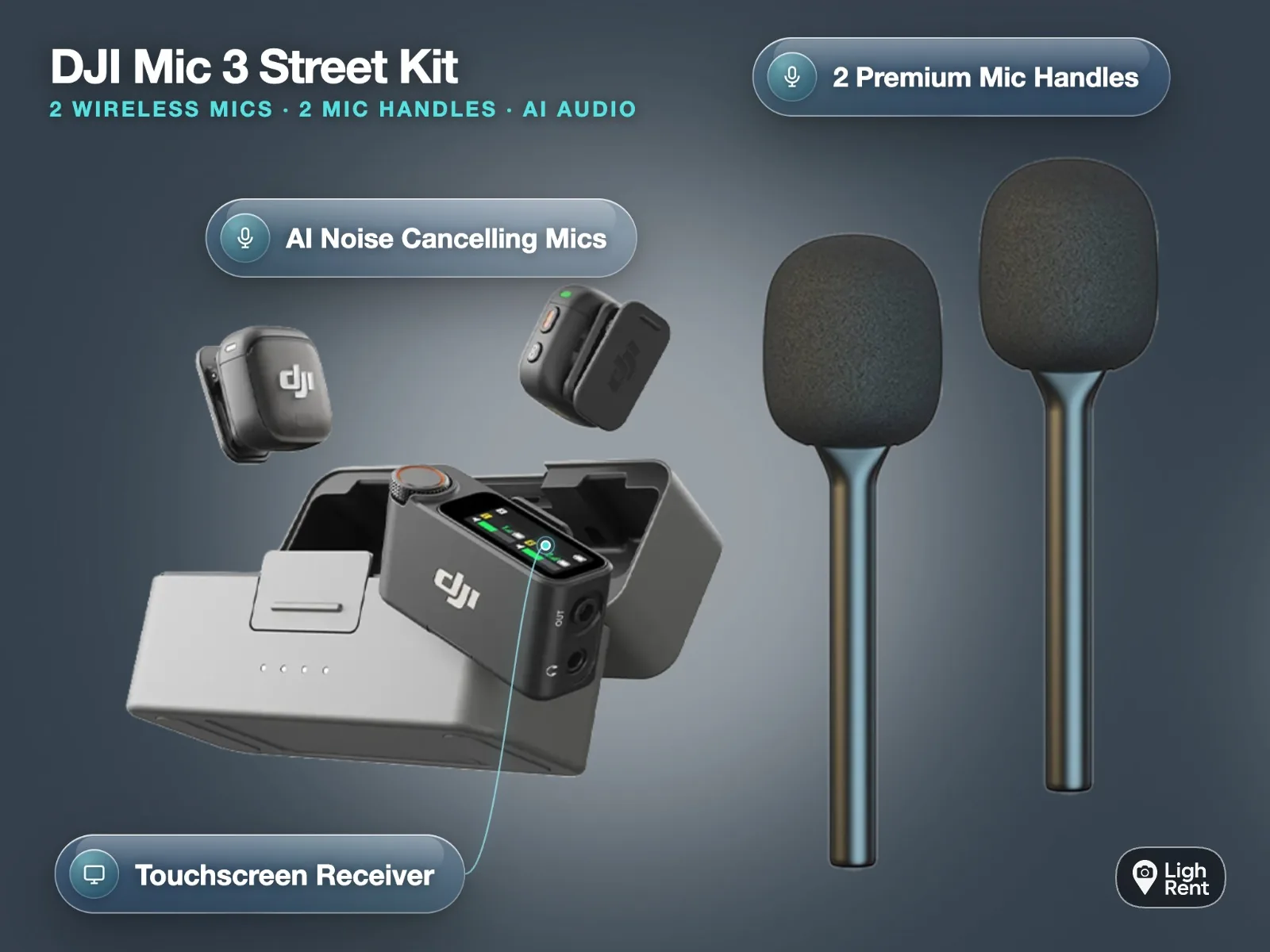
| + DJI Gimbal Osmo 8P + DJI Mic 3 | £125 | £320 | £680 | Creators who talk to camera |
| + SmallRig Rig, 1TB SSD, ND & LED | £130 | £360 | £700 | The full one-bag production rig |
| iPhone 18 Pro 256GB + Osmo 8P + Mic 3 | £100 | £280 | £628 | Lighter phone, same cameras |
If you are not sure, start with the job, not the gear.
You already own accessories
Rent the iPhone 18 Pro Max 512GB on its own. Check that your cage or gimbal clamp fits a 6.9-inch phone that weighs 249 g. Older cages built for smaller phones often do not, and a phone that sits loose in a cage gives you micro-jitter you cannot fix in the edit.
You are filming alone
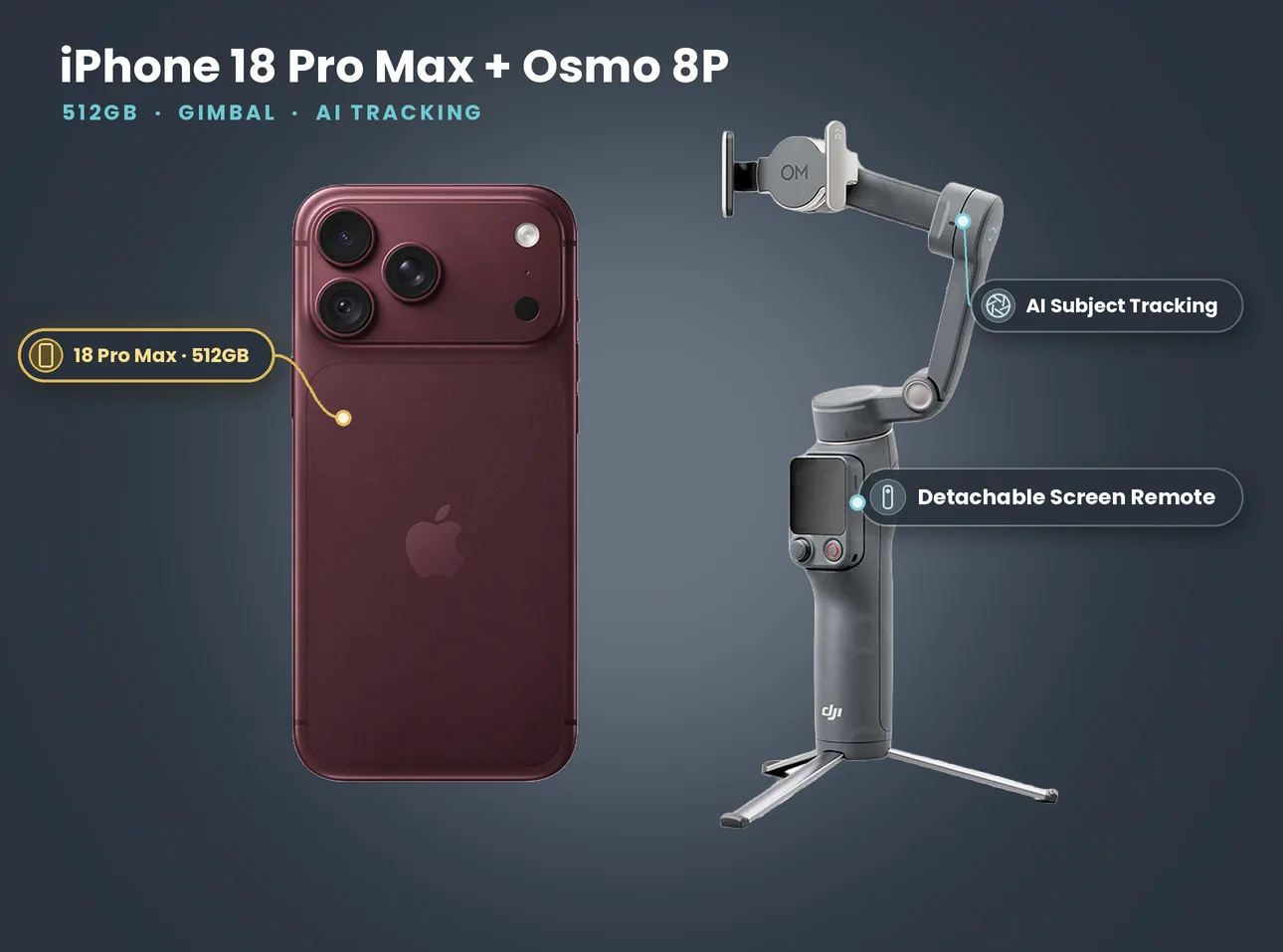
The iPhone 18 Pro Max with the DJI Gimbal Osmo 8P is the simplest kit we rent. The gimbal folds, has a built-in tripod and extension rod, and its detachable screen remote lets you frame a shot of yourself from the front while the phone films on the better back cameras.
You need it to look like a film
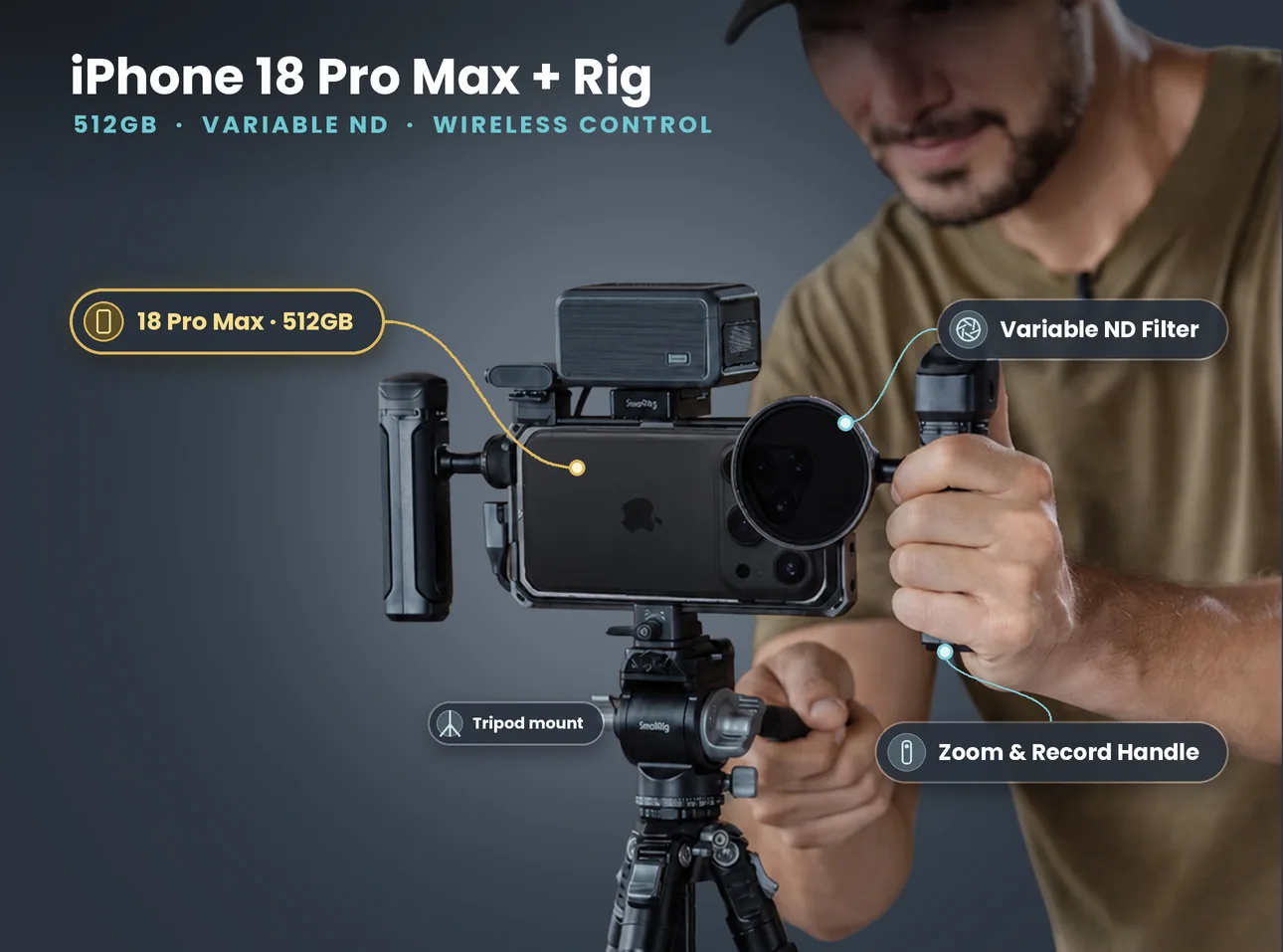
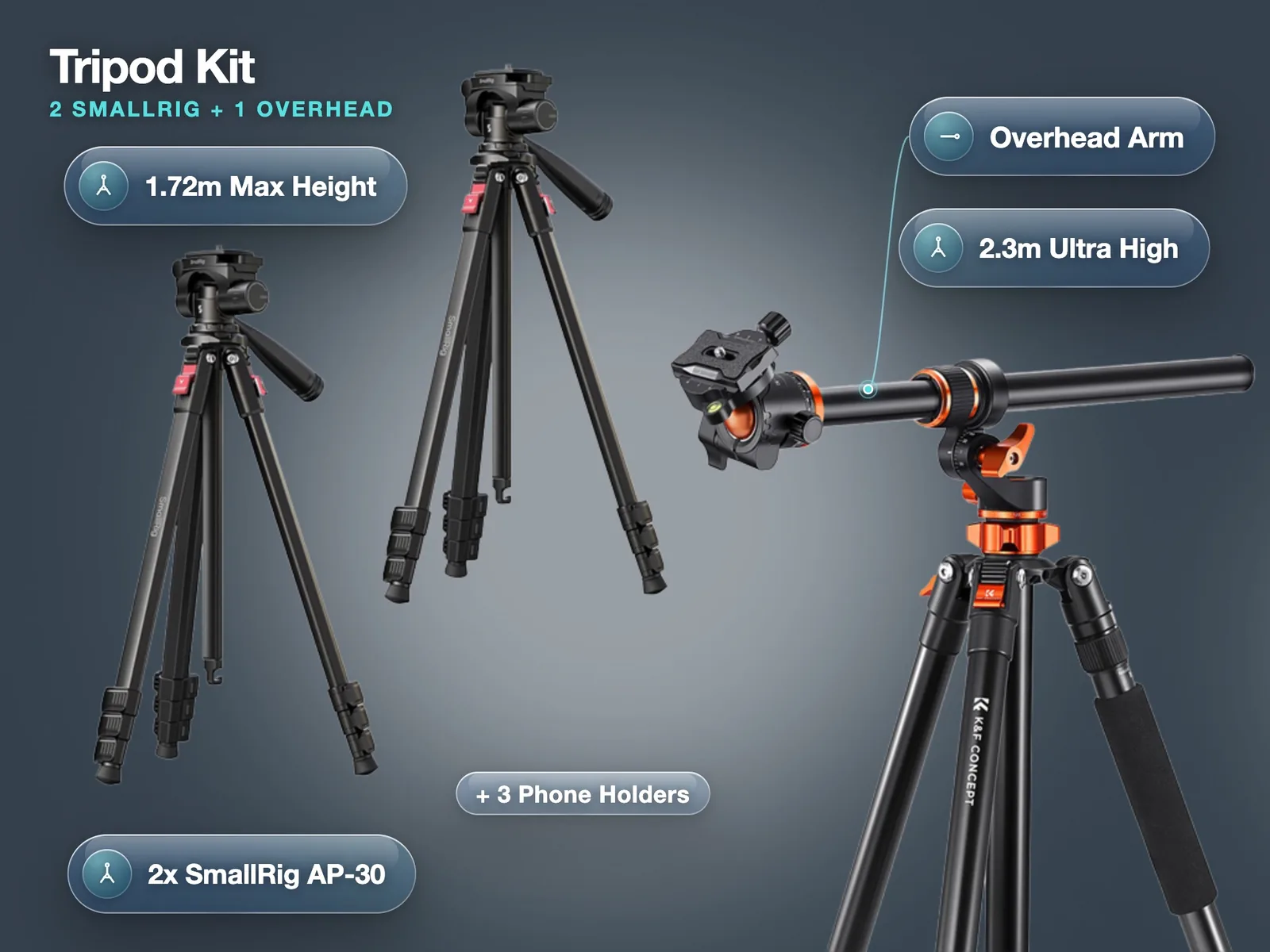
Go for a rig. The iPhone 18 Pro Max with Rig, ND and Tripod gives you a cage with two handles, a wireless zoom and record controller, a variable ND filter and a tripod with a fluid head. The power bank in the photo is not part of that kit. The ND is what lets you keep a film-like shutter speed in daylight, which is the single biggest step up from "phone footage".
What's in the kit: iPhone 18 Pro Max 512GB
- iPhone 18 Pro Max 512GB
- USB-C cable
Price on 27 October 2026: £84 a day, £250 for 3 days, £488 for 7 days. No deposit. Collect from Soho, Bethnal Green or Finsbury Park.
What a day, a long weekend or a week really costs
The headline day rate is not the whole story. Longer hires bring the price per day down quickly:
| iPhone 18 Pro Max 512GB | Total | Per day |
|---|---|---|
| 1 day | £84 | £84 |
| 3 days | £250 | about £83 |
| 7 days | £488 | about £70 |
Two mistakes we see often:
- Booking one day when you need two. If you collect on Friday evening and shoot all day Saturday, that is two days of hire. Price up the 3-day rate before paying for days one at a time; for this phone, three days cost barely more than three single days and give you a buffer for a reshoot.
- Renting a phone and then buying accessories. A cheap phone clamp and a no-name mic often cost more than the difference between the phone-only hire and a full kit. The rig, ND and tripod kit is £110 a day against £84 for the phone alone.
For a full rent versus buy breakdown, including break-even points, see our guide to renting vs buying an iPhone for a shoot.
Shooting this week? Check dates on the phone-only hire and send a request in a couple of minutes. See the iPhone 18 Pro Max 512GB
How booking and collection work
The process is the same for every kit:
- Pick the kit and dates on lighrent.com or in the app, and send a request. The step-by-step version is on our how to book gear help page.
- Verify your ID. Every booking needs full ID verification, studios included. It takes a few minutes and you only do it once.
- Agree a pickup time in the booking chat. We are in Soho, Bethnal Green and Finsbury Park, and you get the exact pickup point once the booking is confirmed.
- Check the kit at pickup (see the checklist below), then shoot.
- Return it at the agreed time. If you are running late on either end, message in the booking chat as early as you can.
Book as early as you can for weekends and for the weeks before Christmas. Music video and campaign shoots cluster on Fridays and Saturdays, and the full rig kits go first.
Your pickup checklist
Five minutes at pickup saves a lost shoot day. Run through this before you leave:
- Battery and power. The phone should be well charged. If you have a gimbal or LED, switch each one on.
- Free storage. Settings, General, iPhone Storage. Apple asks for at least 10 percent free space before ProRes will record, so a full phone will refuse ProRes.
- Cables. For an SSD you need a USB 3 cable rated for 10Gb/s. A slow charging cable will not record ProRes to a drive.
- Camera Control. Press it once to make sure it opens the camera, and try a light press to bring up exposure and zoom.
- Lens glass. Wipe all three lenses. A fingerprint on the main lens is the most common reason for soft, hazy footage.
- Clamp fit. Mount the phone in the rig or gimbal once, so you know how it goes on in the dark at your location.
Setting up the phone for your shoot
You can change everything later, but decide these four things before the first take.
Resolution and frame rate
For most UK work, 4K at 25 fps is the right default. It matches UK broadcast and gives natural motion blur. Use 50 or 60 fps only for shots you will slow down, and 100 or 120 fps for proper slow motion. Apple lists 4K Dolby Vision at 24, 25, 30, 60, 100 and 120 fps on both iPhone 18 Pro models.
Codec: HEVC, ProRes or ProRes Log
- HEVC is small and looks finished straight out of the phone. Fine for social, events and most client work.
- ProRes gives you far more data per frame. Apple notes that ProRes files can be up to 30 times larger than HEVC.
- ProRes Log (Apple Log 2) records flat footage for grading. Only choose it if someone will grade the footage, because it looks washed out until they do.
Here is what that means for a 512GB phone, measured on our own iPhone 18 Pro 4K footage:
| Recording format (4K) | Approx. data per minute | Approx. time on 512GB |
|---|---|---|
| HEVC, 25 fps | about 0.3 GB | many hours |
| ProRes HQ, 25 fps | about 5 GB | a bit over an hour |
| ProRes HQ, 60 fps | about 11 GB | record to the SSD |
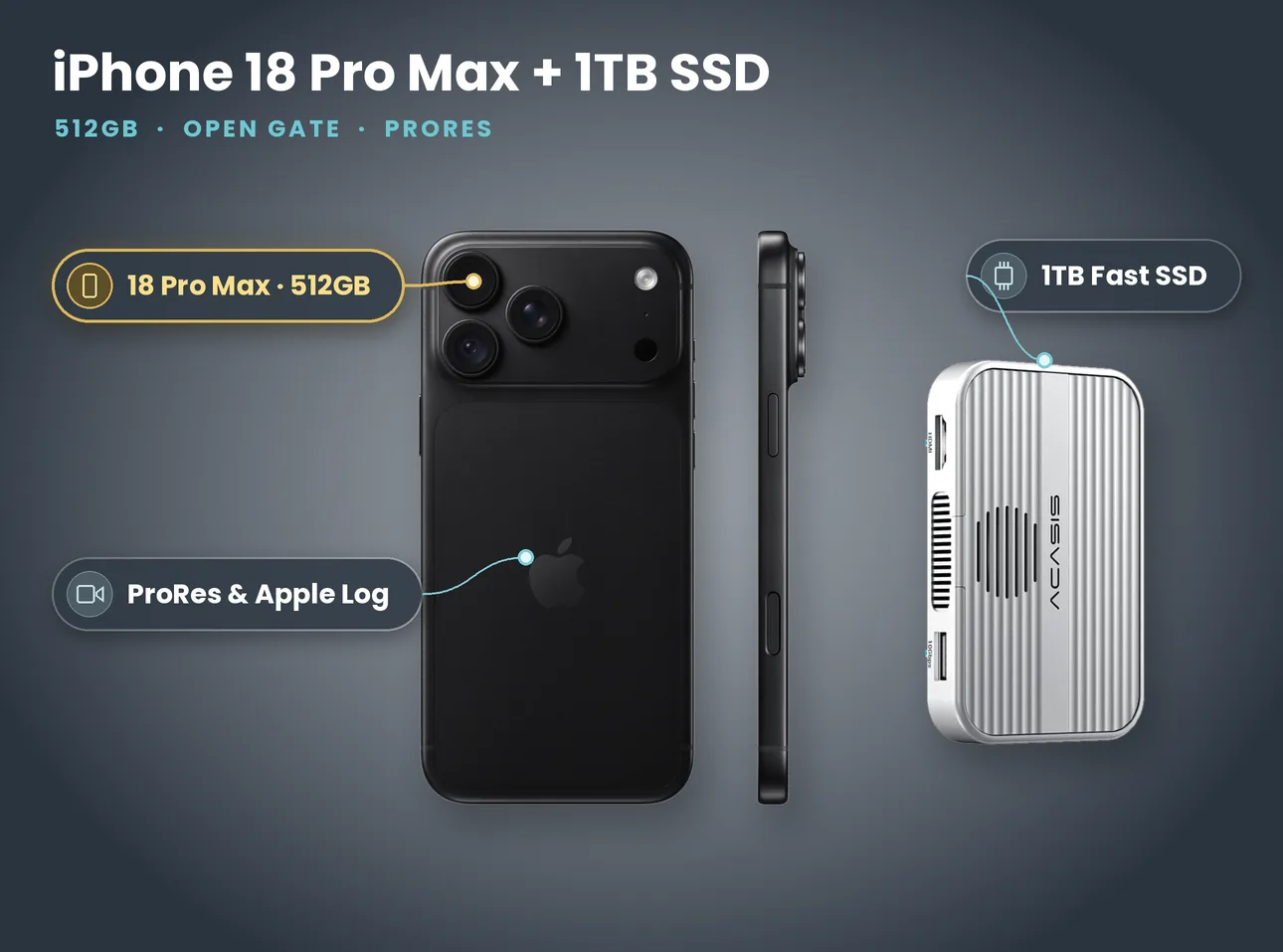
If ProRes is the plan for a long day, rent the iPhone 18 Pro Max with 1TB SSD and record straight to the drive. Apple's ProRes support page lists the drive rules: exFAT format, a 10Gb/s USB 3 cable, and at least 220 MB/s sustained for 4K60.
Camera app
The built-in Camera app is quick and reliable. If you want manual shutter, ISO, white balance and exposure tools like zebras and false colour, install the free Blackmagic Camera app. It is also how you get open gate on supported phones. Set it up at home before the shoot, not on location with the client watching.
Shutter and ND
For a film-like look, aim for a shutter of about twice your frame rate (1/50 at 25 fps). In daylight that overexposes badly unless you add ND, which is why the rig kits include a variable ND filter. Without ND, the phone raises the shutter speed to cope, and fast movement turns choppy.
Multi-camera and longer jobs
Some jobs need more than one phone: a two-person interview, a live music session, a panel, or a brand shoot that wants a wide and a close-up at the same time. Renting matched phones makes the edit far easier, because every angle has the same sensor, the same processing and the same look.
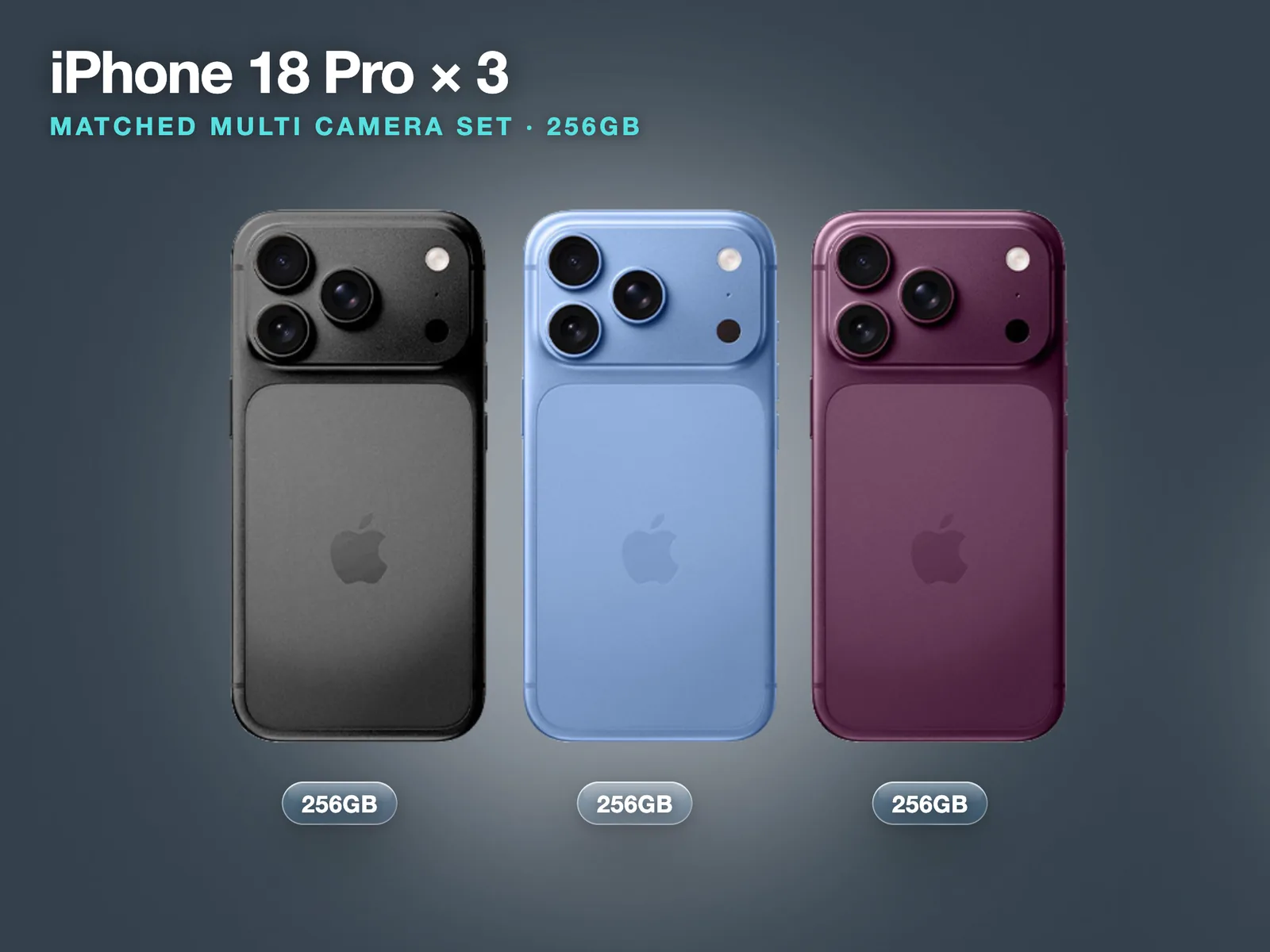
Our 3x iPhone 18 Pro Multi Camera Set is £300 a day. Set every phone to the same frame rate, the same white balance (lock it, do not leave it on auto) and the same exposure. Clap once on camera at the start of each take so the editor can line the angles up in seconds.
For week-long jobs, two habits matter more than gear:
- Offload every night to a laptop or drive, then check the files open before you delete anything from the phone.
- Keep a simple shot log in your notes app: date, scene, take, and anything that went wrong. On day five you will not remember which take had the plane overhead.
When short-term rental is not the right call
Renting is not always the answer, and we would rather you book the right thing:
- You shoot on an iPhone most weeks. Single-day hires add up to Apple's UK price after about 18 days. If you would rent more often than that in a year, buying the phone starts to make sense. The maths is in our rent vs buy guide.
- The job needs interchangeable lenses or very shallow depth of field across a whole film. A phone has fixed lenses. For that look a cinema camera is the better tool, and you can hire those on LighRent too.
- You need a phone for personal use. Our phones are for shoots. They are reset on return and are not set up as daily phones.
Filming in public in London
A small phone kit does not draw much attention, but the rules still apply. Film London's Plan Your Shoot pages explain permissions and how borough film services work. If anything in your shot touches Transport for London property, TfL says you need to apply for permission, and you should contact TfL before filming on roads, pavements, bus stops or parking bays. Tripods, lights and crews on the pavement are what turn a quick shoot into one that needs a permit, so plan the setup, not just the location.
Need the full kit, not just the phone? The rig, ND and tripod kit is a strong all-rounder for music video and brand work. Book the iPhone 18 Pro Max + Rig, ND & Tripod
- iPhone 18 Pro vs Pro Max for filmmaking: which model to rent when the cameras are the same
- Renting vs buying an iPhone for a shoot: break-even days and the costs nobody counts
- iPhone gimbal hire with the DJI Gimbal Osmo 8P: set-up and tracking tips for solo shooters
- iPhone open gate recording: when you need the SSD, and when you do not