The question we get most from people booking an open gate kit is not "how do I turn it on". It is "will I run out of space?" That is the right question. Open gate is easy to switch on in the right app, but it changes how fast you fill a phone, and on a shoot day that is what stops you.
This guide covers what iPhone open gate recording actually gives you, how to set it up on the iPhone 18 Pro Max, real storage numbers measured from our own footage, Apple's rules for external drives, and a simple test for whether you need an SSD at all.
- Open gate records the full height of the sensor, so one take can be cropped into a 9:16 vertical and a 16:9 horizontal without losing the shot.
- Apple's spec page does not list open gate. You shoot it through third-party apps such as Blackmagic Camera, where it is a resolution option.
- Built-in open gate recording to internal storage is fine for lighter codecs. For long ProRes days, add a 1TB SSD.
- Real data rates from our footage: HEVC about 0.3 GB a minute, ProRes HQ 4K25 about 5 GB, ProRes HQ 4K60 about 11 GB. Open gate adds to that.
- Our Open Gate Kit was £110 a day on 27 October 2026, no deposit.
In this guide
- What open gate actually is
- Does the iPhone 18 Pro Max shoot open gate?
- How much space open gate really uses
- When you need an SSD (and when you don't)
- Apple's rules for external drives
- Step-by-step: shooting open gate on the iPhone 18 Pro Max
- Our open gate settings table
- Framing for two crops at once
- Which kit to rent for open gate
- Mistakes that cost people the shot
What open gate actually is
A phone sensor is taller than a 16:9 video frame. When you record normal 4K video, the phone throws away the top and bottom of the sensor to make a widescreen picture. Open gate keeps the whole sensor area instead, giving you a taller frame, closer to the 4:3 shape of a photo.
Why that matters: one take now holds both a horizontal and a vertical version.
- Crop a 16:9 frame for YouTube, a client edit or a screen at an event.
- Crop a 9:16 frame for Reels, TikTok and Shorts.
- Crop a 4:5 frame for an Instagram feed post.
Without open gate you either shoot everything twice, shoot vertical and lose the horizontal, or shoot horizontal and crop a narrow vertical slice out of the middle. Open gate gives you room above and below to reframe properly. For music videos and brand content that ships in four aspect ratios, it saves a whole second pass of the shoot.
Does the iPhone 18 Pro Max shoot open gate?
Be clear on this before you plan a shoot. Apple's iPhone 18 Pro tech specs list HEVC, H.264, ProRes, ProRes RAW in compatible apps, Apple Log 2 and 4K up to 120 fps. They do not list open gate, and Apple's own Camera app does not offer it.
You get open gate through third-party apps. The free Blackmagic Camera app shows "Open Gate" as one of its resolution options alongside 720p, 1080p and 4K, on phones that support it. That is the app we use, and it is the one we load on our kit phones.
Two honest limits:
- Which codecs and frame rates work in open gate depends on the app version and the phone. Check the options on the day rather than trusting an old forum post.
- We never promise ProRes RAW open gate to internal storage. Apple says ProRes RAW is "enabled by compatible apps", and data rates that high normally need a fast external SSD. If your brief needs RAW, test the exact combination before the paid day.
What we can say: built-in open gate recording to internal storage works for lighter codecs, and with an SSD attached you can record heavier ones for longer.
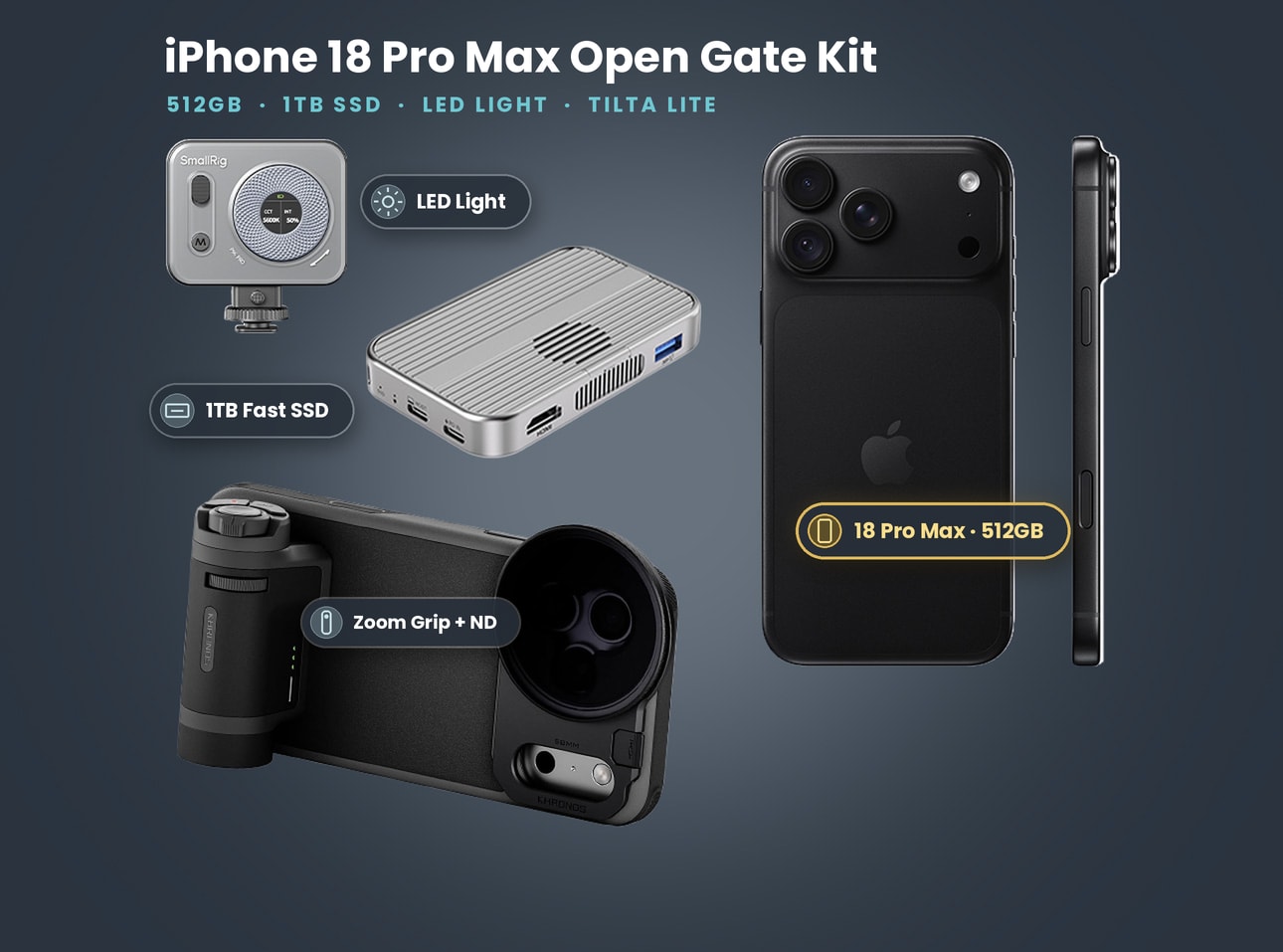
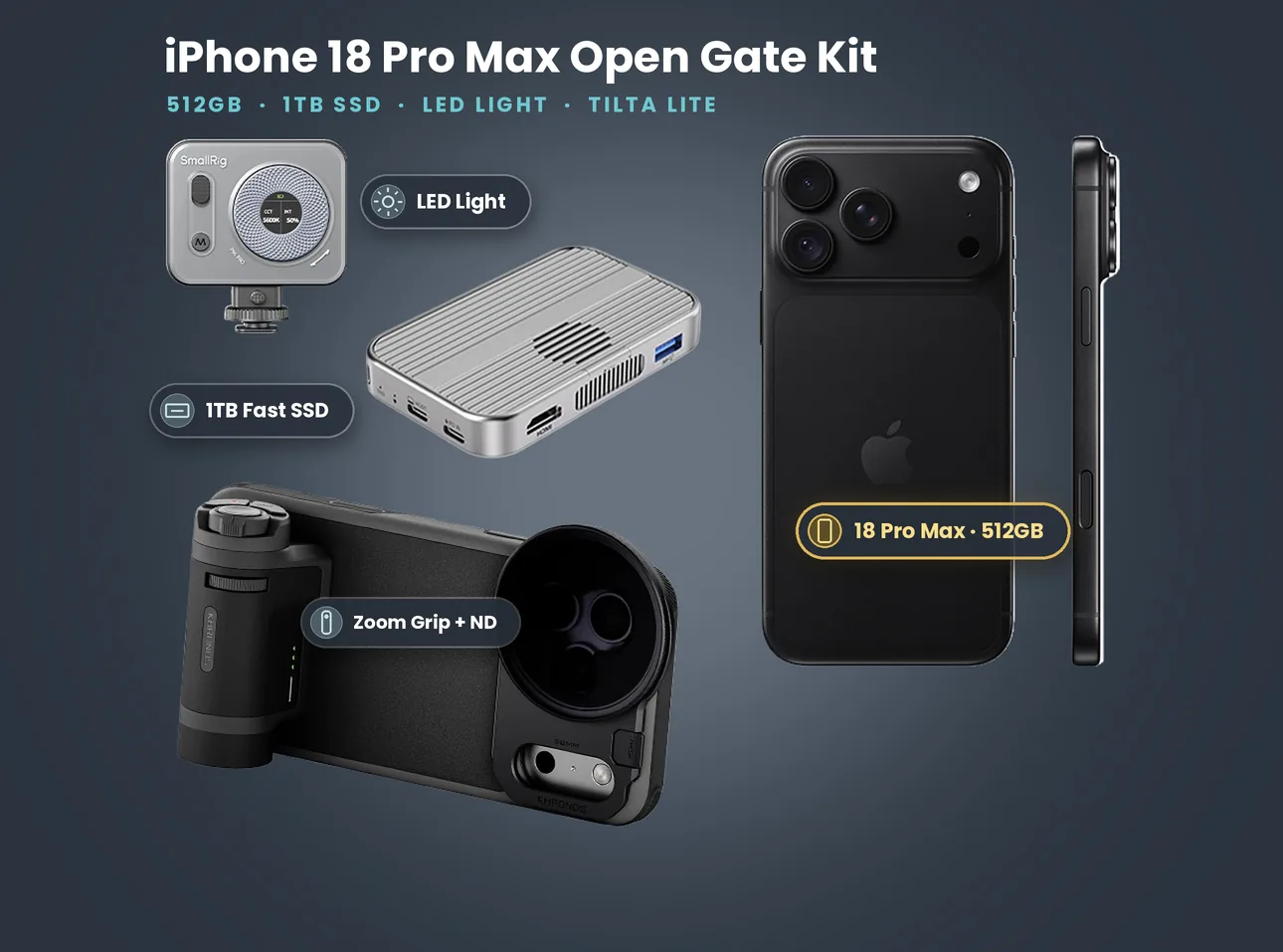
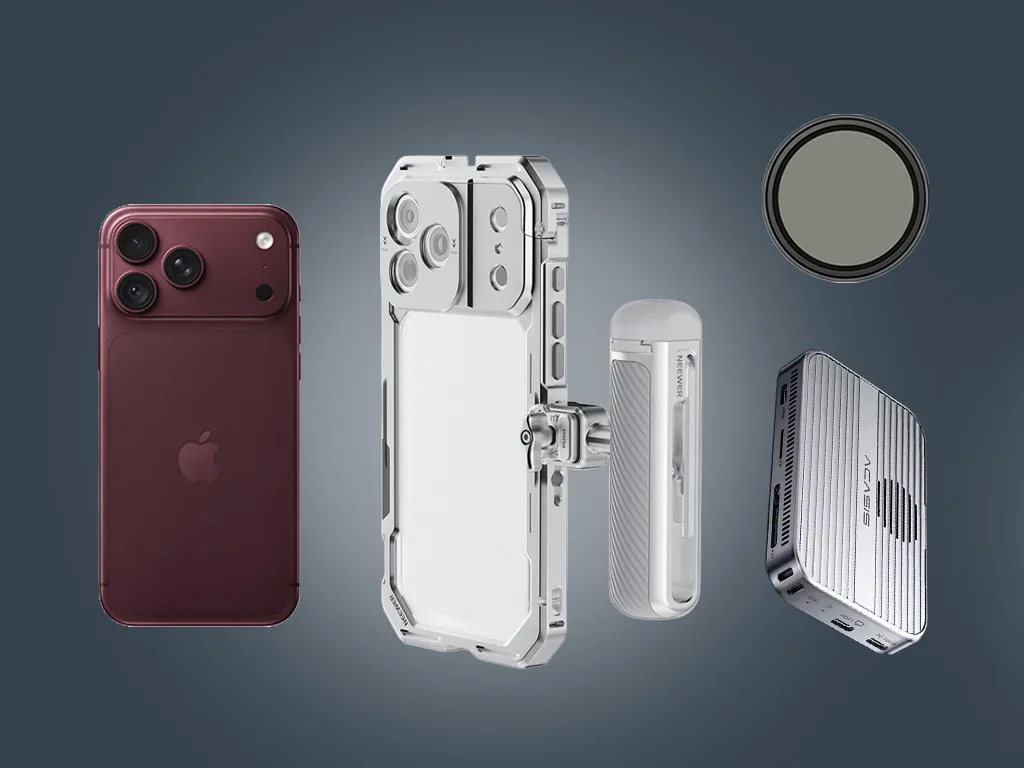
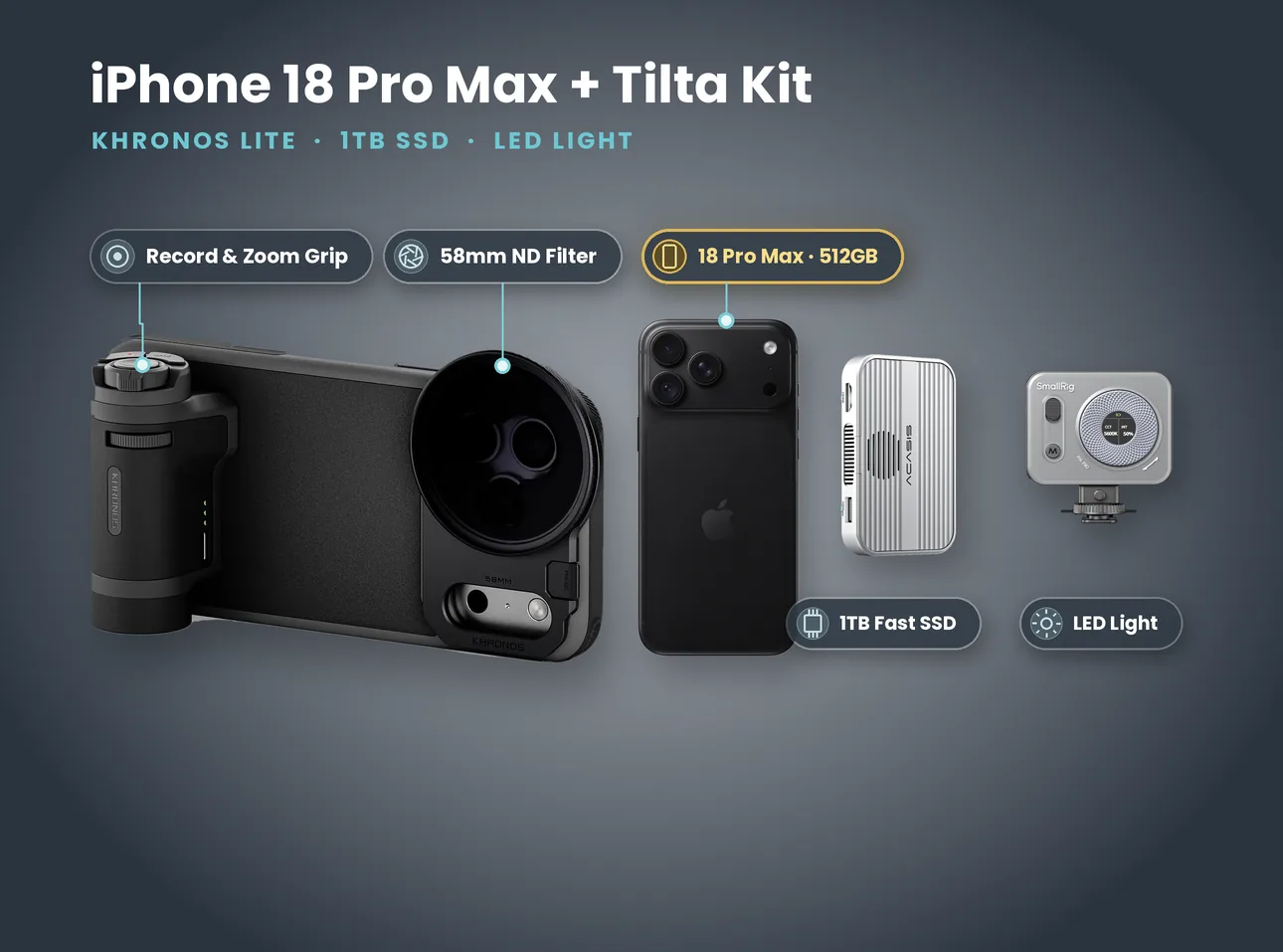
What's in the kit: iPhone 18 Pro Max 512GB + Tilta Khronos Lite, 1TB SSD & LED (Open Gate Kit)
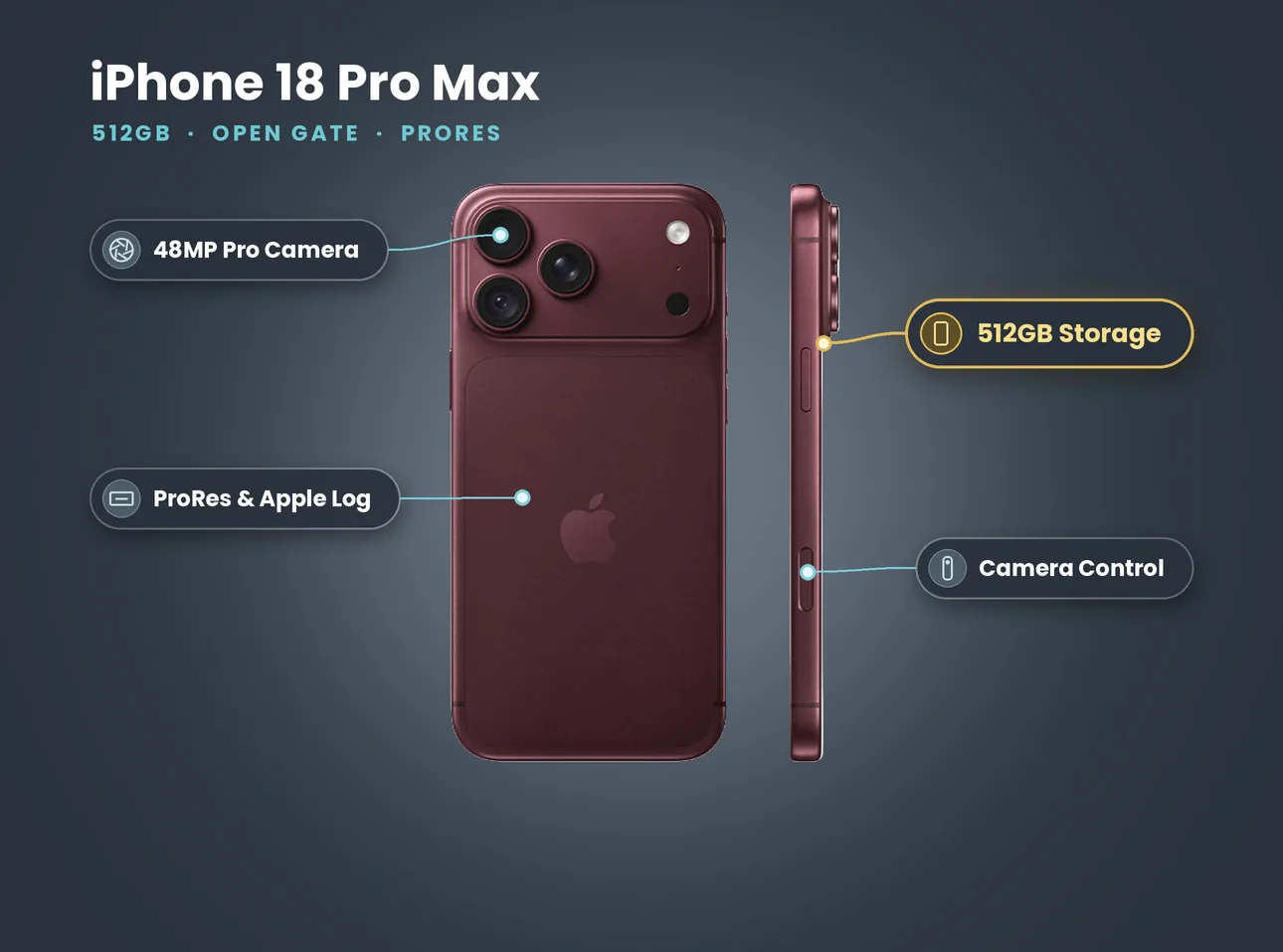
- iPhone 18 Pro Max 512GB
- Tilta Khronos Lite case with Bluetooth record and zoom grip (built-in battery)
- 58mm variable ND filter
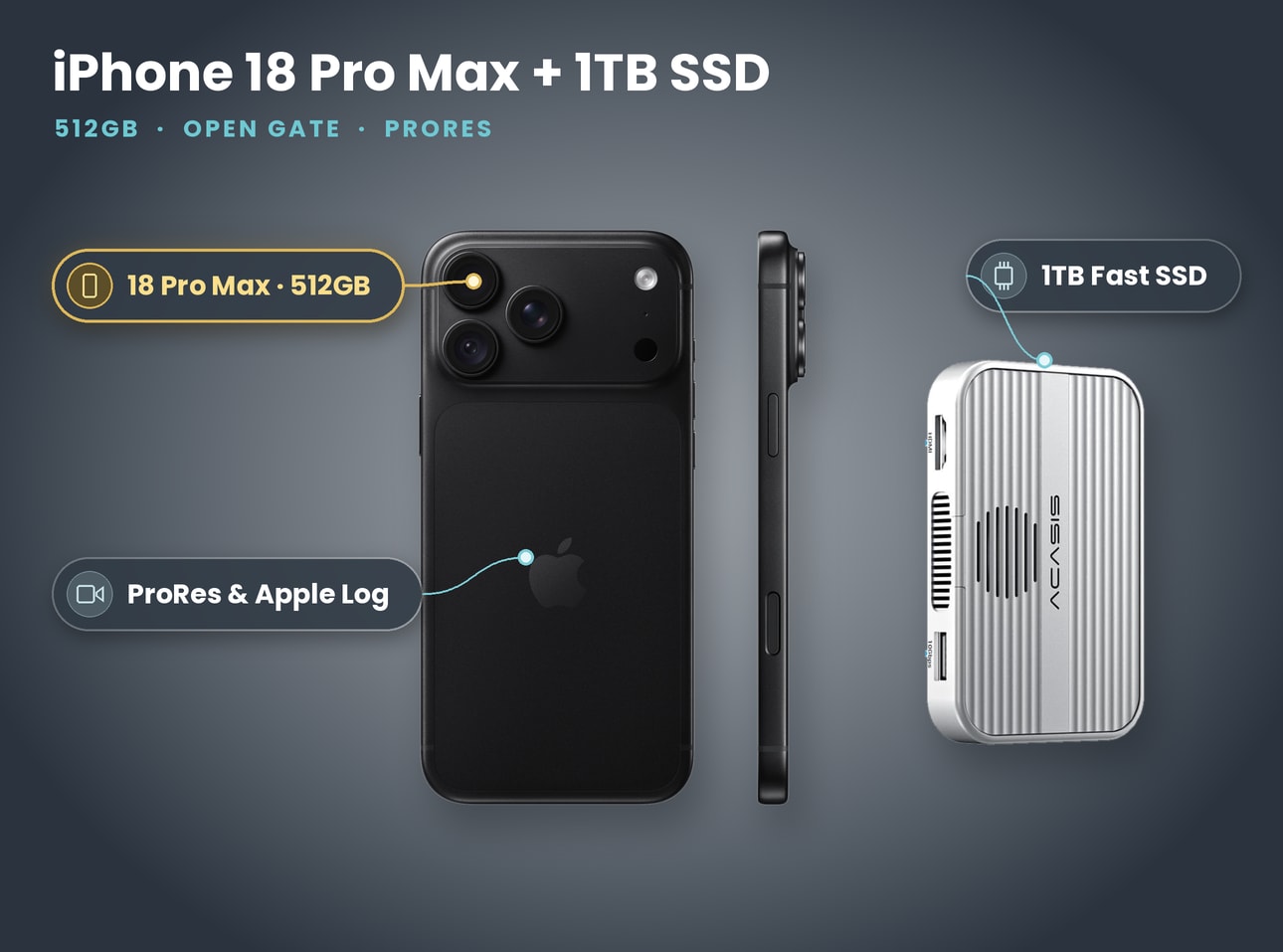
- 1TB fast SSD
- SmallRig P96 Pro LED
Price on 27 October 2026: £110 a day, £300 for 3 days, £640 for 7 days. No deposit. Collect from Soho, Bethnal Green or Finsbury Park.
How much space open gate really uses
Here are real numbers. On our own night shoot for the Lime Bike short we recorded 113 clips on one iPhone 18 Pro, all in standard 4K. The 97 HEVC clips came to about 39 minutes and 13.1 GB. The 16 ProRes clips came to about 8 minutes and 45.9 GB. ProRes was a fifth of the running time and three quarters of the storage.
From the file metadata, the per-minute rates were:
| Codec (standard 4K, measured) | Data rate | About per minute | About per hour |
|---|---|---|---|
| HEVC 4K 25 fps, 10-bit HDR | about 42 Mb/s | 0.3 GB | 19 GB |
| ProRes HQ 4K 25 fps | about 670 Mb/s | 5 GB | 300 GB |
| ProRes HQ 4K 60 fps, Apple Log | about 1.5 Gb/s | 11 GB | 680 GB |
Open gate records a taller frame than those 4K clips, so expect higher rates than this table in the same codec. Use the table as a floor, not a ceiling.
What that means for a 512GB iPhone 18 Pro Max, keeping the 10% free space Apple asks for when you record ProRes:
- HEVC style codecs: many hours. Internal storage is fine.
- ProRes HQ at 25 fps: around an hour and a half before open gate overhead, less in open gate.
- ProRes HQ at 60 fps: well under an hour.
Apple's ProRes support page puts it bluntly: ProRes files can be up to 30 times larger than HEVC. Our measurements agree.
When you need an SSD (and when you don't)
Use this quick test.
You do not need an SSD if:
- you are shooting HEVC or another light codec for social
- your takes are short and you can offload at lunch
- you will deliver in under a day and grade lightly
You need an SSD if:
- you want ProRes for most of the day
- you are shooting ProRes 4K at 60 fps or higher
- you want ProRes 4K120, which Apple only allows with external recording
- you cannot offload during the shoot, for example a live event or a long performance take
The good news is that an SSD also makes the edit faster. You unplug the drive from the phone, plug it into the laptop and start cutting. No AirDrop of a 40 GB clip, no cable transfer from the phone.
Apple's rules for external drives
Apple publishes the requirements for ProRes recording to external storage on its About Apple ProRes on iPhone page. At the time of writing the page lists models up to the iPhone 17 Pro; the rules are the same ones we follow on the iPhone 18 Pro Max.
| Requirement | Apple's rule |
|---|---|
| Drive format | exFAT (password-encrypted drives not supported) |
| Cable | USB 3, rated at least 10 Gb/s |
| Sustained write speed | at least 220 MB/s for 4K60, 440 MB/s for 4K120 |
| Power | drive must draw 4.5 W or less |
| 4K120 sessions | reformat the drive before each session |
| Free space | at least 10% of device storage free to record ProRes |
The most common failure we see is the cable. A short USB-C cable that came with a phone charger is often a slow USB 2 cable. The phone sees the drive but will not record ProRes to it. Our kits include the right cable, and we tell people not to swap it.
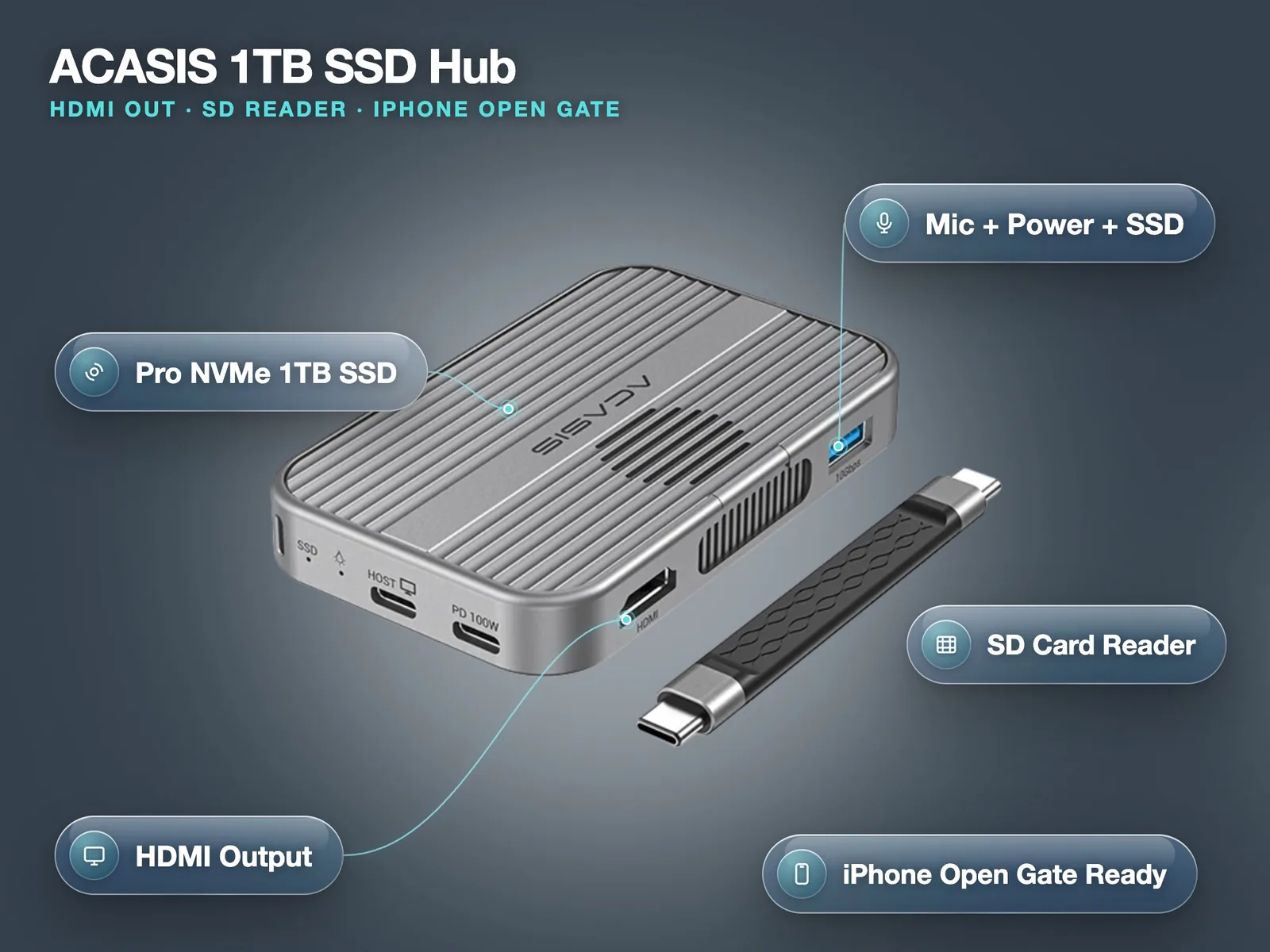
The second most common failure is power. Some bare SSDs draw more than 4.5 W. If the phone shows the drive but refuses to record, power is the next thing to check. A hub with its own power input, like the ACASIS hub, solves that and adds HDMI out for a monitor.
Step-by-step: shooting open gate on the iPhone 18 Pro Max
This is the order we set phones up in before they go out.
- Free up space. Delete old clips and keep at least 10% of the phone free. On a 512GB phone that means about 50 GB empty, plus whatever you plan to record internally.
- Format the SSD as exFAT on a computer. Name it something obvious so you can find it in the app.
- Connect the SSD with the 10 Gb/s USB-C cable. Mount it on the cage or the magnetic plate so it cannot swing on the port.
- Open Blackmagic Camera. In the record settings, choose the storage location (the SSD or the phone), then the codec.
- Choose Open Gate as the resolution. If the codec you want is not available in open gate, the app will not offer it: change one or the other.
- Set the frame rate. 25 fps for UK delivery is our default. 50 or 60 fps if you need slow motion in the edit.
- Set shutter speed or shutter angle. 180 degrees (1/50 at 25 fps) for natural motion blur. In daylight you need the variable ND to hold that shutter.
- Set white balance manually. Auto white balance drifting between shots is the most common reason a grade takes twice as long.
- Turn on false colour or zebras. Expose for faces and protect highlights. In Log, the screen image looks flat, so trust the tools, not the picture.
- Record a 10 second test. Play it back, check the file is on the SSD and the size looks right for your codec. Then shoot.
Our open gate settings table
| Situation | Codec | Frame rate | Shutter | Where it records |
|---|---|---|---|---|
| Social content, light grade | HEVC | 25 fps | 1/50 | internal |
| Music video, heavy grade | ProRes HQ | 25 fps | 1/50 | SSD |
| Dance or action, slow-mo | ProRes HQ | 50 or 60 fps | 1/100 or 1/120 | SSD |
| Long interview, two angles | HEVC | 25 fps | 1/50 | internal |
| Night street, mixed lights | ProRes HQ, Log | 25 fps | 1/50 | SSD |
| Brand film, multi-format delivery | ProRes HQ | 25 fps | 1/50 | SSD |
Shooting for vertical and horizontal on the same day? Rent the Open Gate Kit with the SSD and LED already set up. Book the Open Gate Kit
Framing for two crops at once
Open gate only pays off if you frame for both deliveries while you shoot.
- Put the subject's eyes about a third of the way down the full open gate frame. That keeps headroom for the 16:9 crop and room below for the 9:16.
- Keep important action near the centre line. A 9:16 crop from a wide frame is narrow, so a guitarist walking to the edge of frame disappears from the vertical version.
- Turn on frame guides in the app for both 16:9 and 9:16 if it offers them, or mark them on a screen protector you can peel off later.
- Shoot slightly wider than you think. You can always push in during the edit. You cannot invent picture.
- Watch the edges of a gimbal or cage. The taller frame is more likely to catch a handle or a hand at the top or bottom.
In the edit, set up two timelines from the same media: one 16:9, one 9:16. In DaVinci Resolve you can reframe each clip on each timeline without re-importing anything.
Which kit to rent for open gate
| Kit | Best for | Price on 27 Oct 2026 |
|---|---|---|
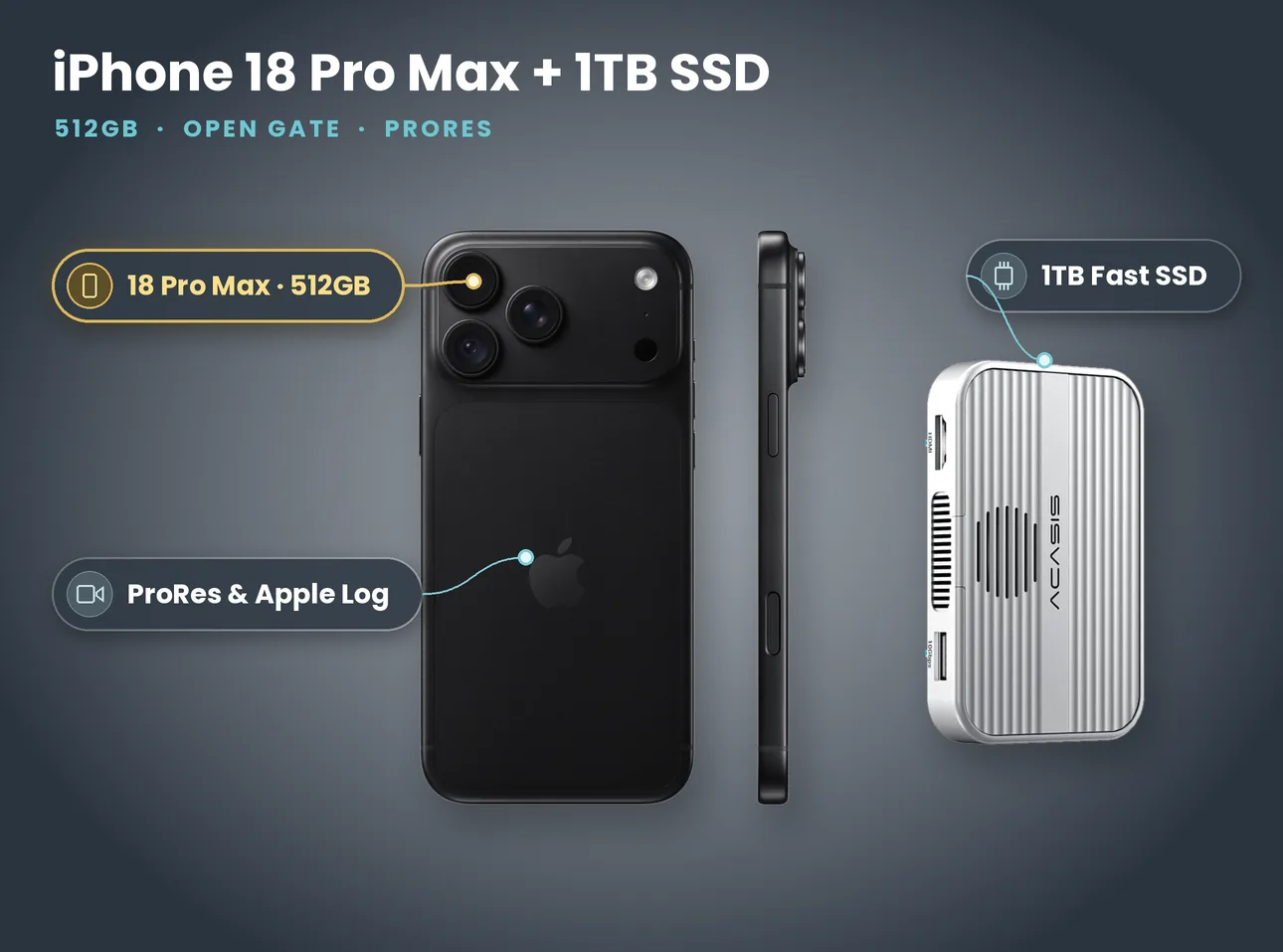
| iPhone 18 Pro Max 512GB + 1TB SSD | simplest ProRes and open gate setup | £100 a day, £280 for 3 days, £640 for 7 days |
| Open Gate Kit with Tilta Khronos Lite | handheld open gate with grip, ND and LED | £110 a day, £300 for 3 days, £640 for 7 days |
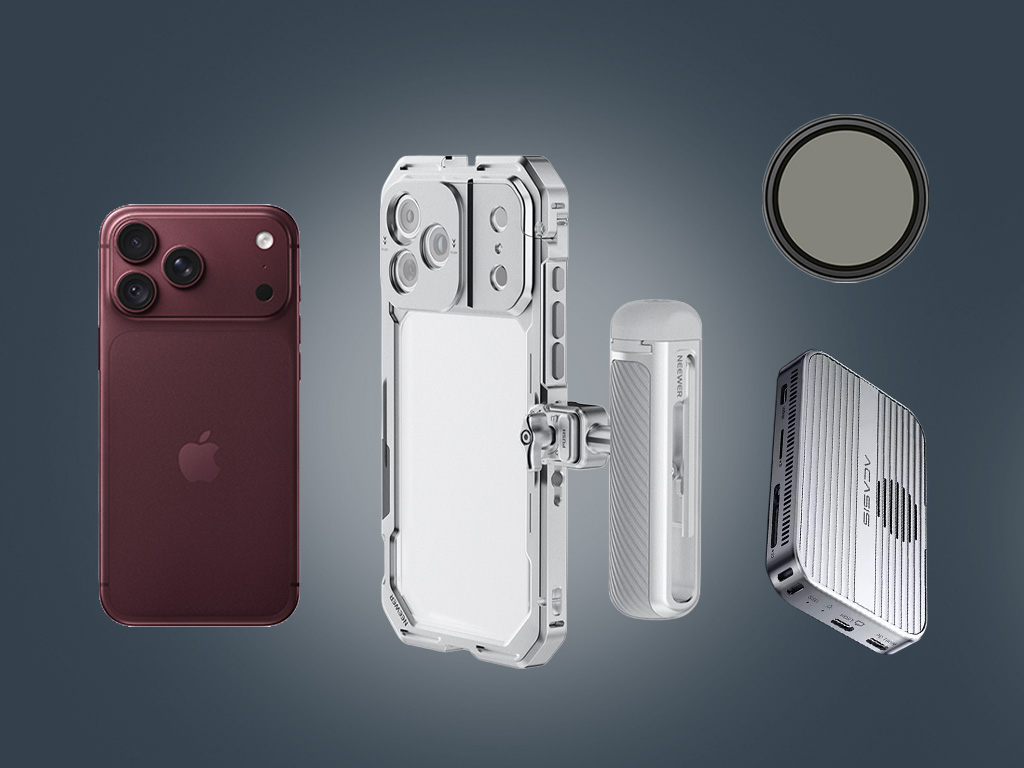
| iPhone 18 Pro Open Gate Cage Rig | lighter 18 Pro in a cage with SSD and ND | £120 a day, £672 for 7 days |
| ACASIS 1TB SSD Hub | add-on SSD with HDMI out and SD reader | £15 a day, £84 for 7 days |
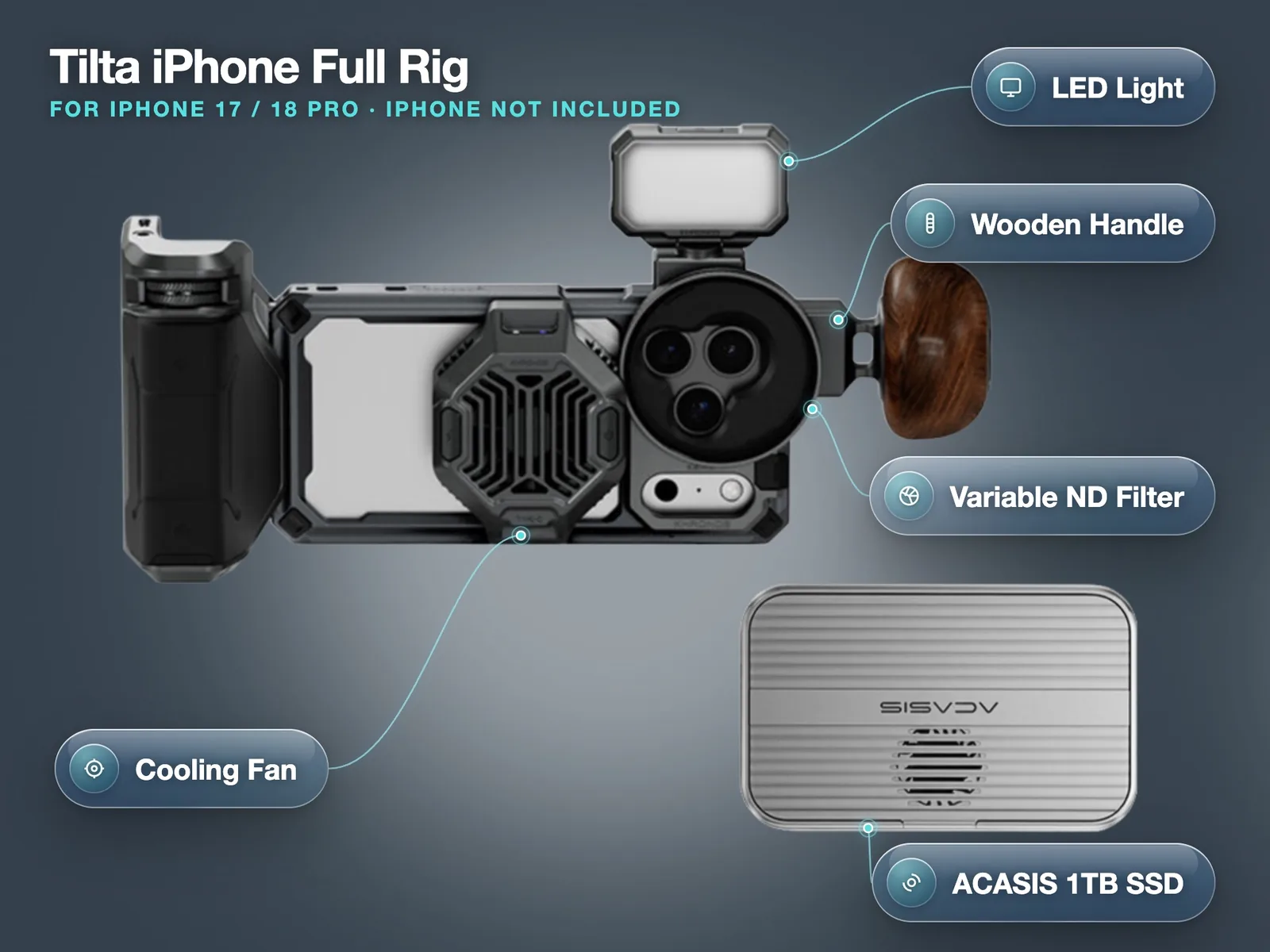
| Tilta iPhone Full Rig | rig only if you bring your own iPhone 17 or 18 Pro | £45 a day, £252 for 7 days |
Mistakes that cost people the shot
- Recording to the phone by accident. If the SSD unplugs mid-take, the app may switch to internal storage or stop. Check the storage indicator before every take.
- Filling the SSD from yesterday. Offload and reformat the drive every evening. Two copies before you format, always.
- Heat. Long ProRes takes in sunshine make the phone warm. A rig with a fan helps; so does shade between takes.
- Forgetting the vertical. Framing only for 16:9 then cropping 9:16 later is how you cut off a performer's hands.
- No test file. Ten seconds of test footage saves an afternoon of reshoots.
Pick up the kit, run the ten second test with us at the counter if you want, and you are ready. Booking steps are on our how booking works page. Collect from Soho, Bethnal Green or Finsbury Park.
Just need the phone and the drive? The iPhone 18 Pro Max with a magnetic 1TB SSD covers most open gate jobs. Book the iPhone 18 Pro Max + 1TB SSD
- iPhone 18 Pro vs Pro Max for filmmaking: same cameras, so choose on weight, screen and storage
- The best iPhone music video rig: cage, ND, LED and power set-ups that work on set
- Filming at night on iPhone: exposure, ND and light for street shoots after dark
- Renting vs buying an iPhone for a shoot: the cost maths with real prices