We rent iPhones to filmmakers every week, and people keep asking the same question: can you really make a proper short film on a phone? So we stopped answering in theory and made one. Lime Bike: The Movie is a Halloween comedy-horror short shot on one iPhone 18 Pro, at night, on London streets, with moving actors, smoke and real fire.
This is the full behind the scenes. Not the marketing version: the actual clip count, the codecs, the data rates pulled from the files themselves, the kit, what worked and the things we would change next time.
- One iPhone 18 Pro, one night: 113 clips between 7.25pm and 12.17am on 20 October 2026.
- Most of the film is 4K 25 fps HEVC in HDR, shot vertically for 9:16. The chase is 60 fps and one insert is 120 fps.
- 16 ProRes clips (about 8 minutes) used 45.9 GB. 97 HEVC clips (about 39 minutes) used 13.1 GB.
- The one Apple Log shot was recorded in the Blackmagic Camera app on the 100mm telephoto at 4K 60 fps: 52.6 seconds, 9.9 GB.
- The rig: a cage with two handles, a cooling fan, a variable ND and a small LED, plus a boom for dialogue.
In this guide
- The idea: one ride goes horribly wrong
- One night, hour by hour
- The kit we used
- Settings: what we recorded and why
- ProRes vs HEVC: the storage lesson
- The Apple Log shot through the spokes
- Fire and smoke on a phone
- Sound on the night
- The trailer
- What we would change next time
- What this means if you are making a short on a budget
The idea: one ride goes horribly wrong
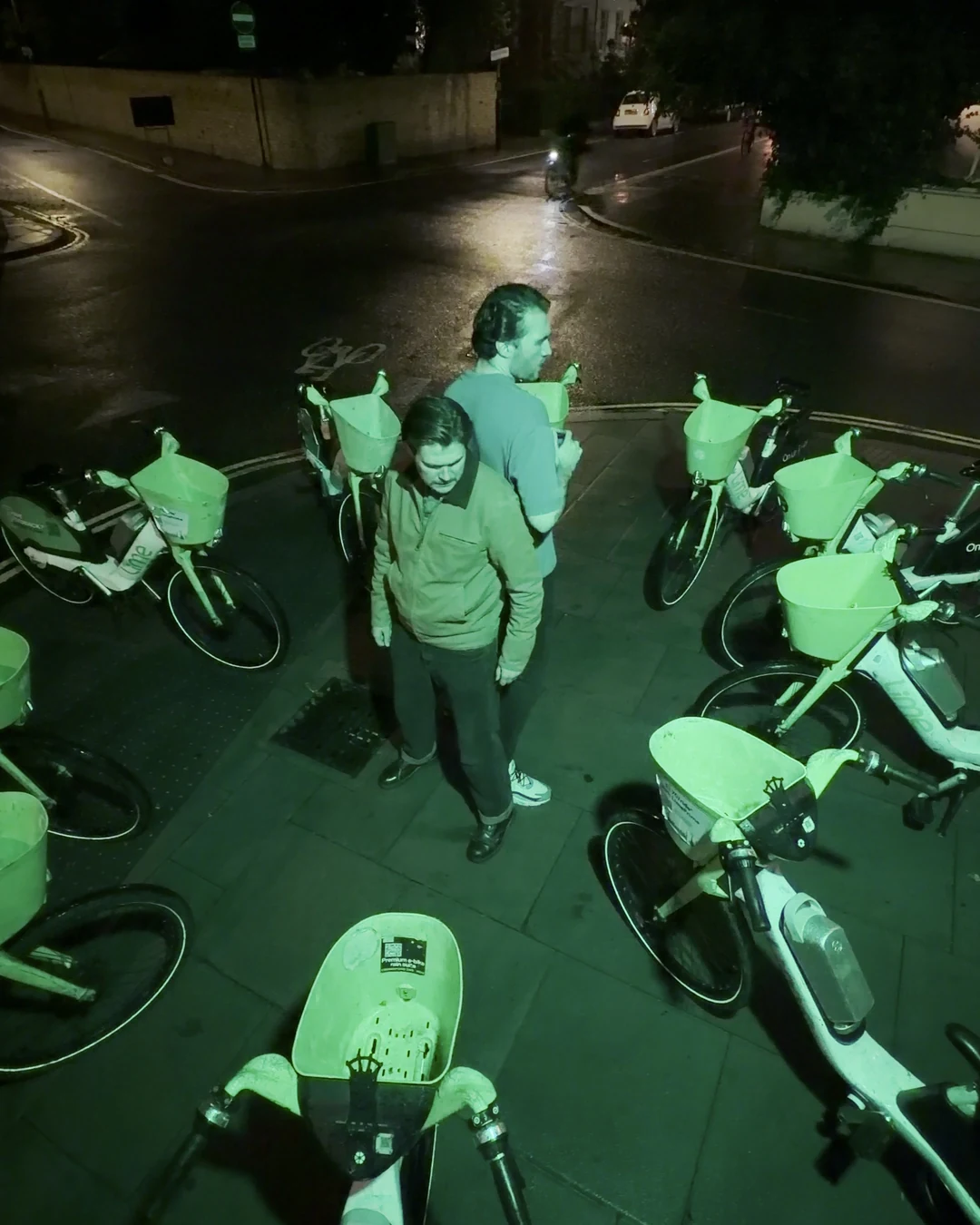
The premise fits in one line, which is what you want for a short: this Halloween, in a city full of Lime bikes, one ride goes horribly wrong. Every scene leans into the bikes. That meant shooting at night, around their green glow and the orange of London street lights, with a chase, a scream, a body in the road, smoke and a few bursts of fire.
We picked those ingredients on purpose. Night, fast movement and fire are where phone footage usually falls apart: noisy shadows, smeared motion, highlights clipped into white blobs.
Most short-form work now ends up vertical, so we shot the whole film for 9:16 rather than cropping a horizontal frame later. Every film clip is a 3840 x 2160 file recorded with the phone upright.
One night, hour by hour
We pulled the timestamps out of every clip, so this timeline is exact rather than remembered.
| Time (20 to 21 Oct 2026) | What we shot | Format |
|---|---|---|
| 7.25pm | First takes among the parked bikes, after dark | 4K 25 fps HEVC, HDR |
| 7.53pm | First fireball takes | 4K 25 fps HEVC |
| 7.58pm to 8.11pm | The chase down the wet street | 4K HEVC, 25 fps, then 60 fps (5 clips) |
| 8.38pm to 9.22pm | The ProRes block, including the overhead sea of bikes | ProRes HQ, 4K 25 fps |
| 9.00pm | One slow-motion insert | 4K 120 fps HEVC |
| 9.11pm | Smoke through a bike headlight | 4K 25 fps HEVC |
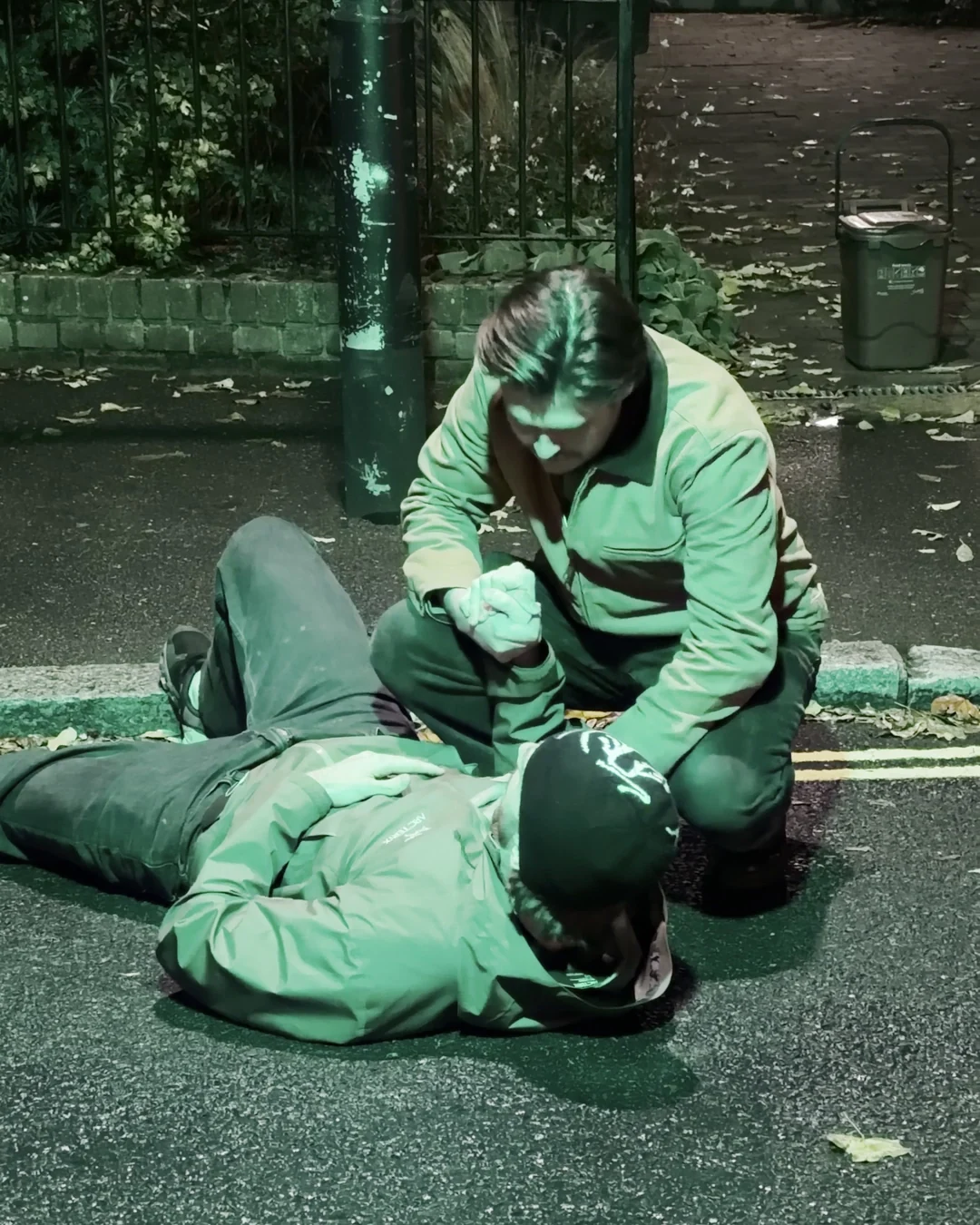
| 9.43pm | CPR through the bike spokes | Apple Log, ProRes HQ 4K 60 fps (Blackmagic Camera) |
| 10.29pm | The green phone box on the wet street | 4K 25 fps HEVC |
| 10.50pm | The final fireball | ProRes HQ, 4K 25 fps |
| 10.55pm | Smoke into the lens close-ups | 4K 25 fps HEVC |
| 12.17am | Last pickups | 4K 25 fps HEVC |
That is just under five hours of shooting. The average HEVC clip is about 24 seconds, because we rolled repeated takes of short beats rather than long dialogue scenes.
The kit we used
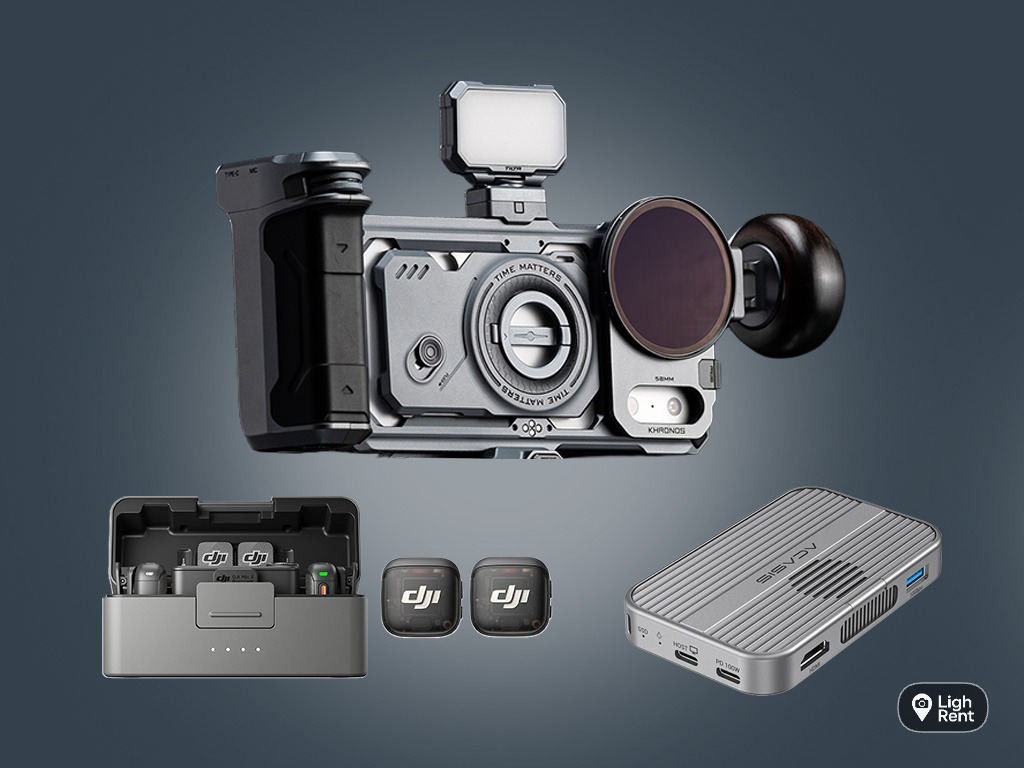
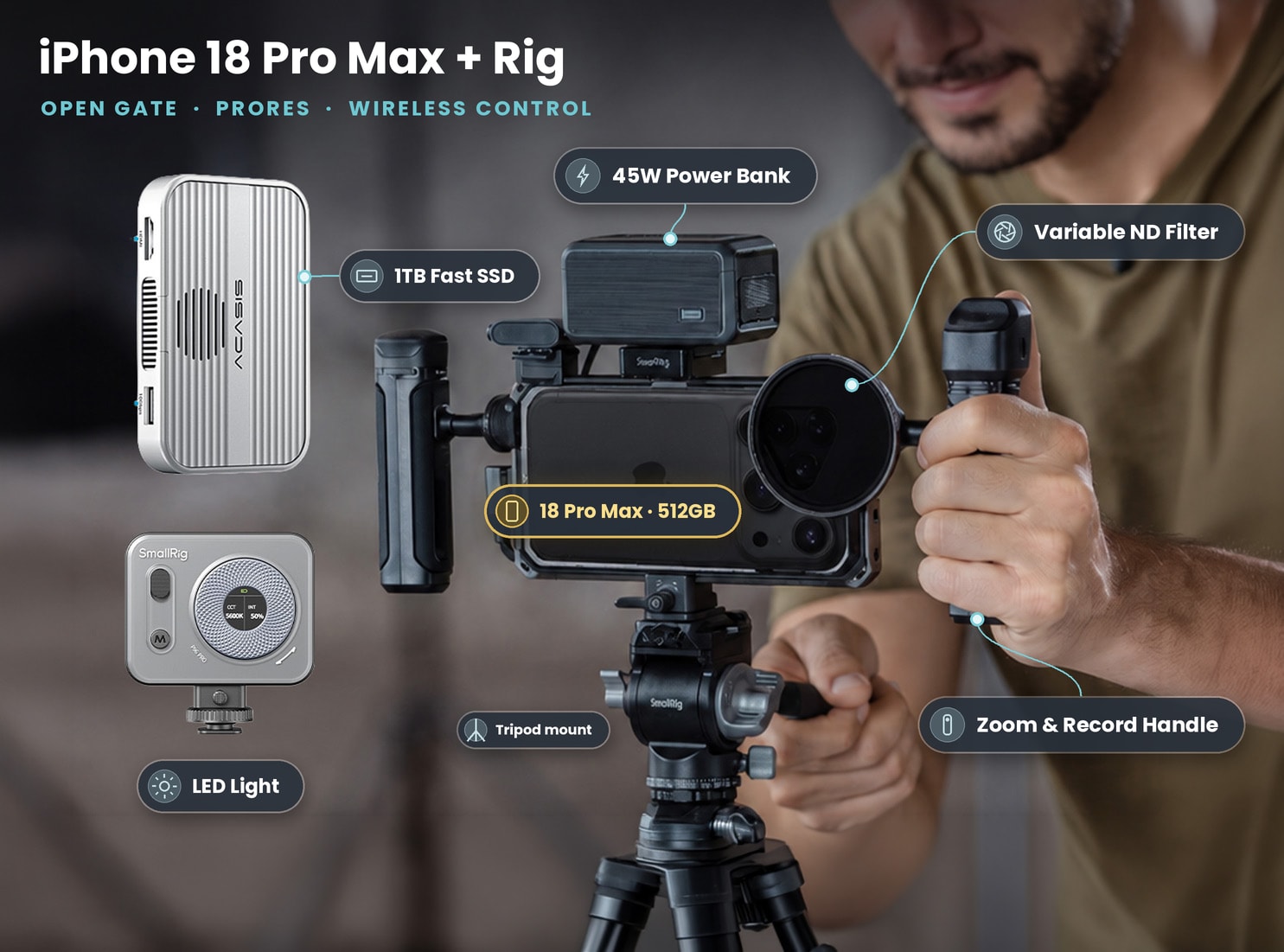
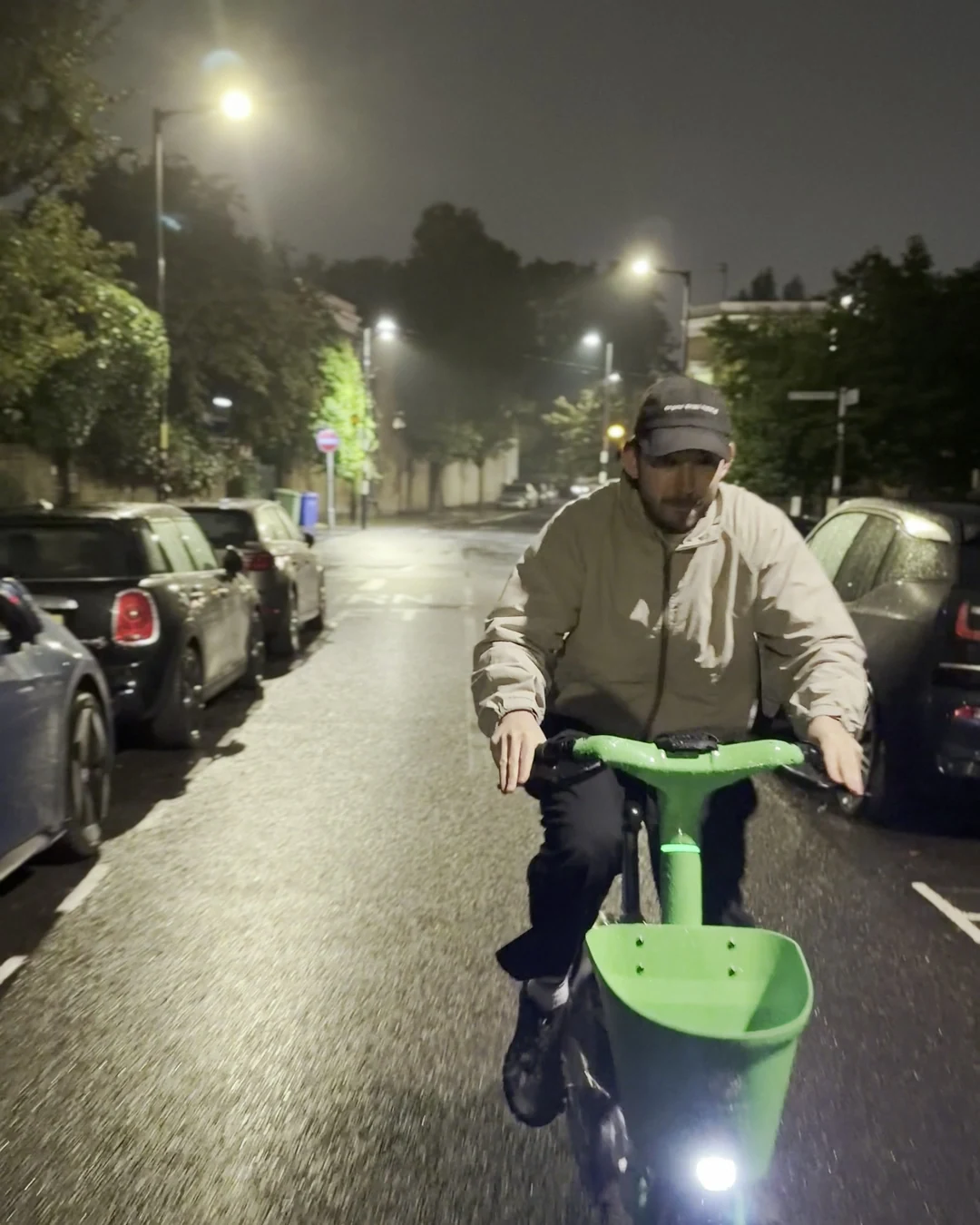
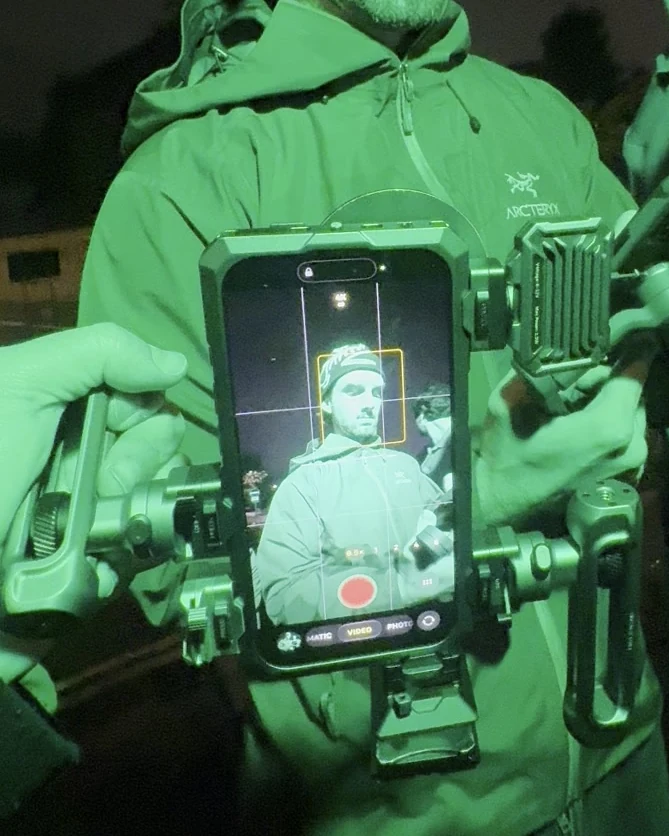
The film was shot on one iPhone 18 Pro in a cage. The behind-the-scenes footage shows the setup clearly: a cage with two side handles, a cooling fan module on the side, a variable ND filter on the front and a small LED. A boom pole went over the actors for dialogue. The operator framed on the phone's own screen.
The handles made the rig worth it: you hold the phone like a small cinema camera, close to your body, and the horizon stays level while you walk backwards in front of a rider. The fan matters too, because HDR and ProRes work the phone hard.
What's in the kit: the closest kits we rent to the Lime Bike setup
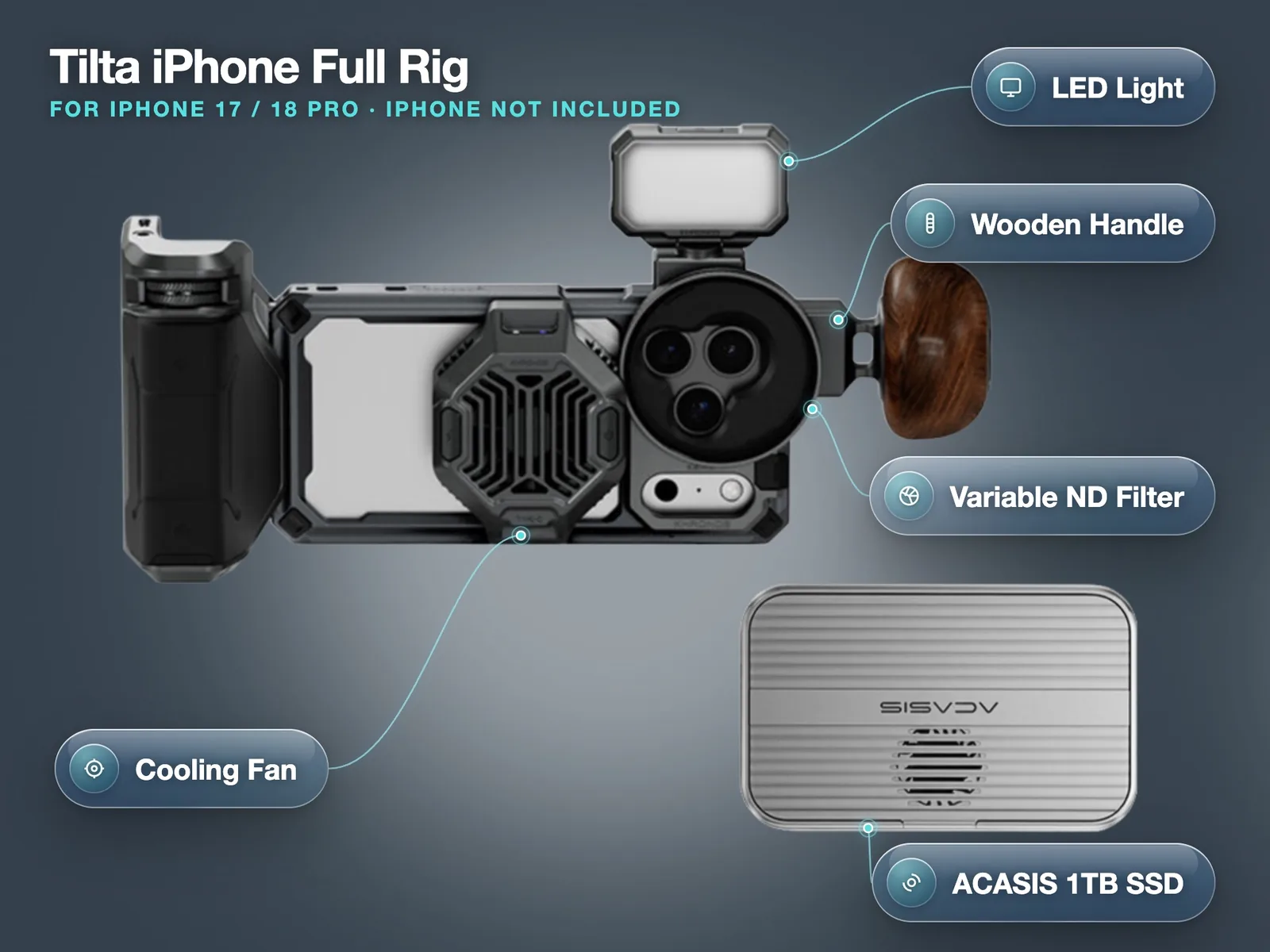
- Tilta iPhone Full Rig with LED, variable ND, 1TB SSD and wooden handle (iPhone not included): £45 a day, £252 for 7 days.
- iPhone 18 Pro Cinema Rig + DJI Mic 3 + 1TB SSD + ND + LED: £130 a day, £728 for 7 days.
- iPhone 18 Pro Max 512GB + SmallRig Rig, 1TB SSD, ND & LED: £130 a day, £360 for 3 days, £700 for 7 days. No deposit.
Prices on 27 October 2026. Collect from Soho, Bethnal Green or Finsbury Park.
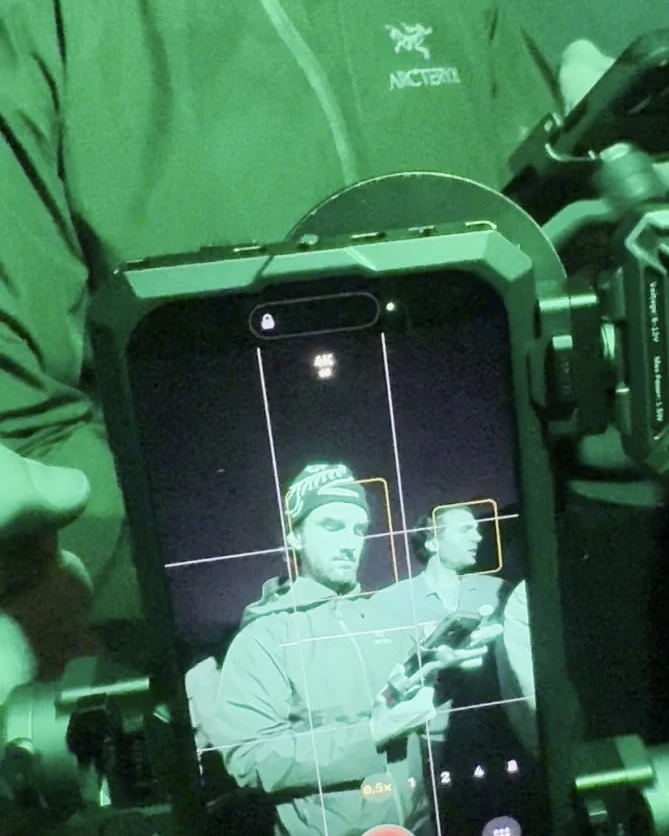
We call these the closest kits rather than the exact kit on purpose: the cage, fan, ND and LED in the BTS match the Tilta full rig and the iPhone 18 Pro Cinema Rig, and the Pro Max rig gives the same workflow on the larger phone.
Settings: what we recorded and why
Here is the real recording data, read from the file metadata of all 113 film clips.
| HEVC clips | ProRes HQ clips (Camera app) | Apple Log clip (Blackmagic Camera) | |
|---|---|---|---|
| Number of clips | 97 | 15 | 1 |
| Resolution | 3840 x 2160, vertical | 3840 x 2160, vertical | 3840 x 2160 |
| Frame rate | 25 fps (60 fps chase, one 120 fps clip) | 25 fps | 60 fps |
| Bit depth and transfer | 10-bit HLG (Dolby Vision) | 10-bit 4:2:2 HLG | 10-bit 4:2:2 Apple Log |
| Data rate | about 42 Mb/s | about 670 Mb/s | about 1.5 Gb/s |
| Storage per minute | about 0.3 GB | about 5 GB | about 11 GB |
| Total recorded | about 39 minutes, 13.1 GB | about 7 minutes, 36 GB | 52.6 seconds, 9.9 GB |
Why 25 fps
UK delivery has always been built on 25 fps, and it gives a natural amount of motion blur at a 1/50 shutter. For a story film that is what you want: movement looks like film rather than sports coverage. The Apple iPhone 18 Pro tech specs list 25 fps for 4K Dolby Vision, so there was no reason to fight it.
Why 60 fps for the chase
Shooting the chase at 60 fps let us play it at real speed or conform it to the 25 fps timeline at about 40 per cent speed for a stretched beat. We used both.
Why HDR (HLG) instead of SDR
Every film clip is HLG, the HDR format the iPhone records as Dolby Vision. Fire, headlights and street lights sit far above the shadows, and HDR keeps more of that range before clipping. Social platforms still show most viewers SDR, so plan an HDR to SDR conversion as the last step of the edit.
ProRes vs HEVC: the storage lesson
This was the most useful number of the night. The 16 ProRes clips (15 from the Camera app plus the Log clip) added up to about 8 minutes of footage and 45.9 GB. The 97 HEVC clips added up to about 39 minutes and 13.1 GB.
So ProRes was around 17 per cent of what we shot and around 78 per cent of the storage. Apple says on its ProRes support page that ProRes files can be up to 30 times larger than HEVC; our ProRes HQ files ran at roughly 16 times the data rate of our HEVC clips, and the Log clip at roughly 36 times.
What that means for your shoot:
- Decide your ProRes shots in advance. We used it for a block of wides and the last fireball, where we expected to push the grade. Everything else was HEVC.
- Plan offloads. At about 5 GB a minute for 4K 25 fps ProRes HQ, a 256GB phone fills faster than you think once photos and apps take their share. Apple also asks you to keep 10 per cent of the phone free to record ProRes.
- Use an SSD for anything heavy. Apple's page lists the rules for external drives: exFAT, a USB 3 cable rated for 10Gb/s, at least 220 MB/s sustained for 4K60 and a drive that draws 4.5 W or less. The footage from this shoot now lives on a 1TB SSD, and every iPhone 18 kit we rent with an SSD is set up the same way.
Want to shoot your own short on iPhone? Book the rig, collect it in London and shoot tonight. Book the iPhone 18 Pro Max rig with SSD, ND and LED
The Apple Log shot through the spokes
One shot got special treatment: the CPR scene filmed through the spokes of a bike wheel. We wanted the wheel soft and dark in the foreground and the actors small and sharp behind it, which is a long lens job.
So we switched to the Blackmagic Camera app, picked the 100mm (4x) telephoto, and recorded Apple Log in ProRes HQ at 4K 60 fps. The metadata confirms it: Blackmagic Cam 3.5, "iPhone 18 Pro 100mm", 52.6 seconds, 9.9 GB. That is about 11 GB a minute, so this is not a way to shoot a whole film unless you have a lot of drive space and time to offload.
Why Blackmagic Camera for this shot? Manual control: locked shutter, ISO and white balance, zebras for exposure, and a fixed lens instead of letting the phone switch. At night automatic choices wander between takes, and a shot you cut against others needs everything locked.
Log footage looks flat straight out of the phone, which is the point. In the grade we lifted contrast and saturation by hand until it sat with the HEVC shots around it, and it keeps more detail in the dark wheel and the highlights than the HEVC take of the same moment.
Fire and smoke on a phone
The fireballs
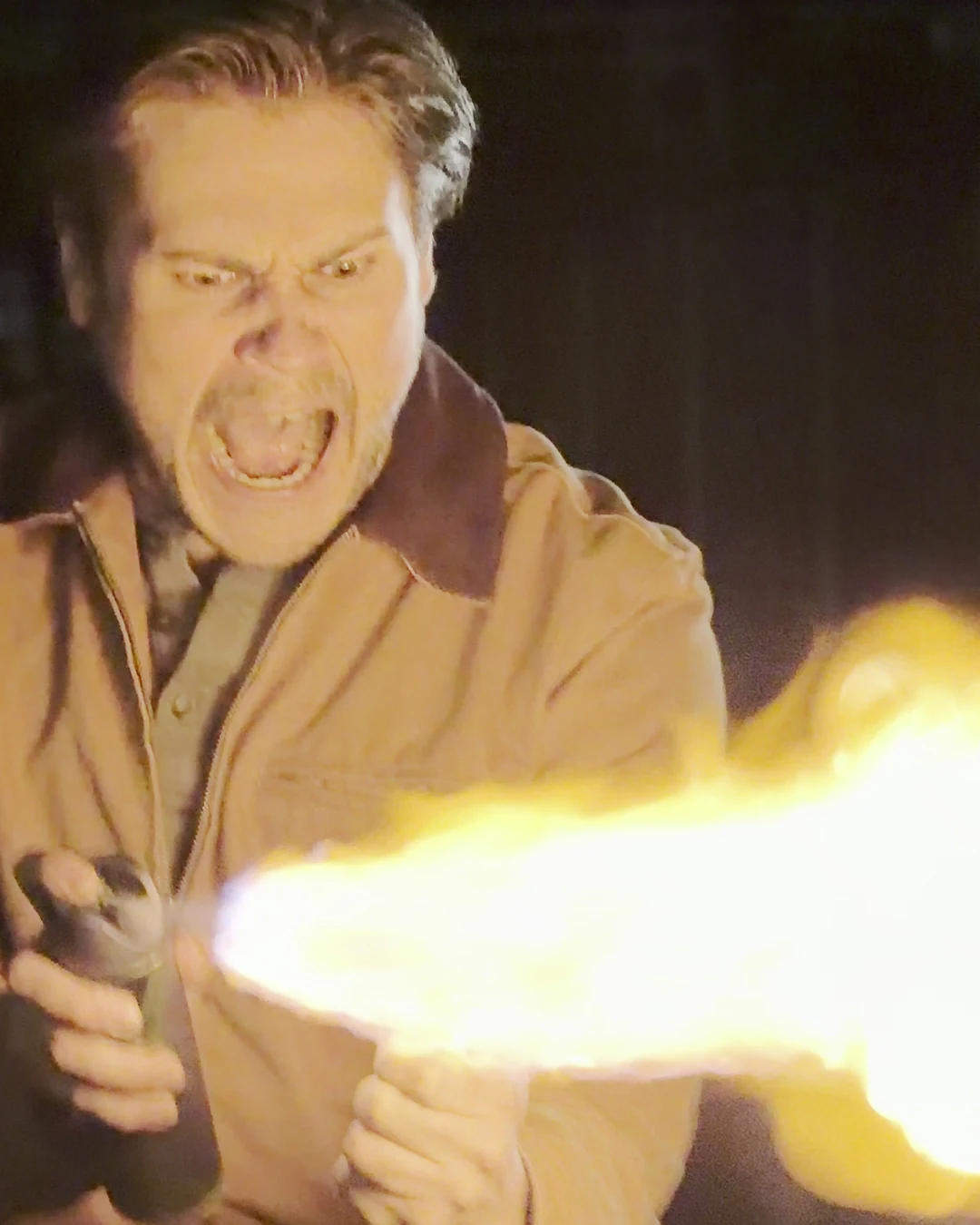
Each fire burst lasted somewhere between a tenth of a second and just over half a second. You cannot react that fast, so we did not try. We rolled continuously through each take, let the burst happen, and found the peak frame in the edit. The hero image at the top of this page is one of those peak frames, not an effect.
Exposure was set for the fire, not the faces. If you expose for skin, the flame turns into a white shape with no texture. Exposing for the flame lets the street fall into darkness, which suited a horror short anyway. The one fireball we recorded in ProRes, at 10.50pm, gave us the most room to bring the edges of the flame back in the grade.
Safety comes first and it is not optional. Fire on set needs a qualified person, permission and a safety plan. If you are planning anything like it in London, start with Film London's code of practice and the borough film service for your location.
The smoke
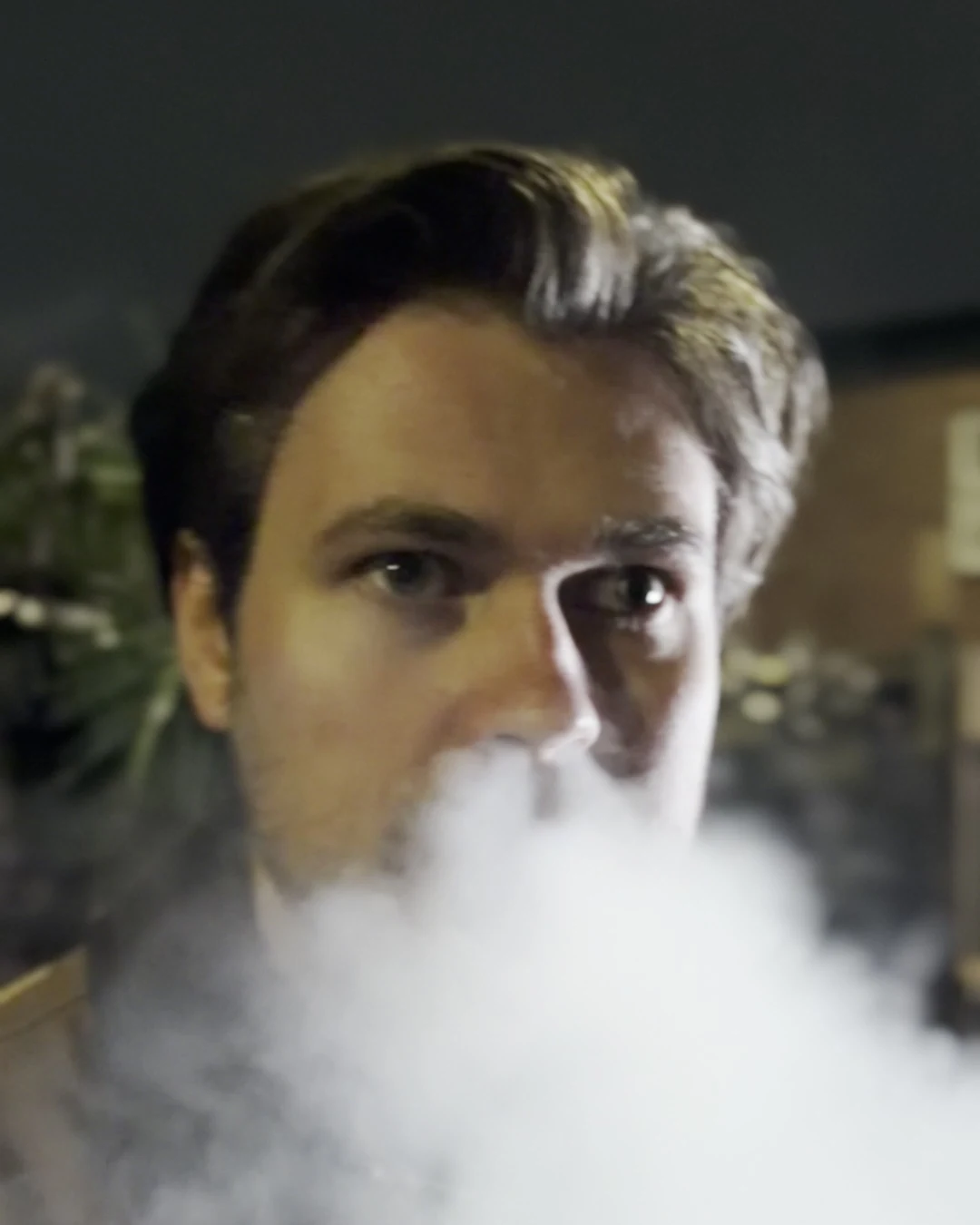
Smoke across the lens and through a bike headlight gave us some of the best shots of the night, all in plain HEVC. Put a hard light behind or beside the smoke so it glows rather than greys, and lock focus on the eyes before the cloud arrives, or the phone will try to focus on the smoke.
Sound on the night
Dialogue was covered by a boom on a pole over the actors. The phone recorded sound too: most HEVC clips carry Apple's Spatial Audio track alongside stereo, and most of the ProRes clips carry 32-bit audio tracks. That gave us usable guide audio on every single take, which made syncing quick.
If your film leans on dialogue, a wireless kit recording 32-bit float internally is the safer bet; our DJI Mic 3 guide explains how we set it up.
The trailer
From the film we cut a 30-second vertical trailer: a cold open on a fireball, the chase, the scream, then behind-the-scenes clips set against the shots they produced, and the title card. It closes on "Shot on iPhone 18 Pro. Kit by LighRent." Wherever we say shot on iPhone 18 Pro, we mean the film shots only. The behind-the-scenes clips came from an iPhone 15 Pro Max.
You can follow the film and our other shoots on Instagram at instagram.com/lighrent.io.
What we would change next time
- Light faces in the wide shots. Night wides lit only by street lights leave faces dark. Place a small LED before you roll, not after you see the playback.
- Spend ProRes where the grade needs it. HEVC carried most of the night well, so the storage is better spent on a second Log shot on the telephoto than on extra ProRes wides.
- Lock settings for every hero shot. The Blackmagic Camera shot was the most consistent of the night. Next time we would use a manual app for every shot that has to intercut.
- Bring spare power. Cold nights drain batteries faster. A power bank on the rig is cheap insurance.
- Plan a horizontal version of the best shots. We framed for 9:16 throughout, which was right for social, but a few overheads would have made strong horizontal frames for YouTube.
What this means if you are making a short on a budget
You do not need a cinema camera to make a short that looks intentional at night. You need a good phone, a rig you can hold properly, some light control, a drive for the heavy formats and a plan for sound. All of it fits in one bag.
Before you shoot, check the formats your phone supports on Apple's spec page and read our filming at night on iPhone guide for the exposure side. Booking takes a few minutes and every booking needs ID verification; our help page walks through it, and every London kit is on camera hire London.
- Filming at night on iPhone: the exposure, white balance and lighting side of everything above.
- iPhone open gate recording: when you need an SSD and what open gate really gives you.
- iPhone music video rig: the cage, handle and ND setups we rent most.
- DJI Mic 3 32-bit float on iPhone: clean dialogue without riding levels.
- iPhone 18 Pro vs Pro Max for filmmaking: which phone to rent for your short.
Shoot your own short with the same setup. Collect from Soho, Bethnal Green or Finsbury Park. See the Tilta iPhone full rig